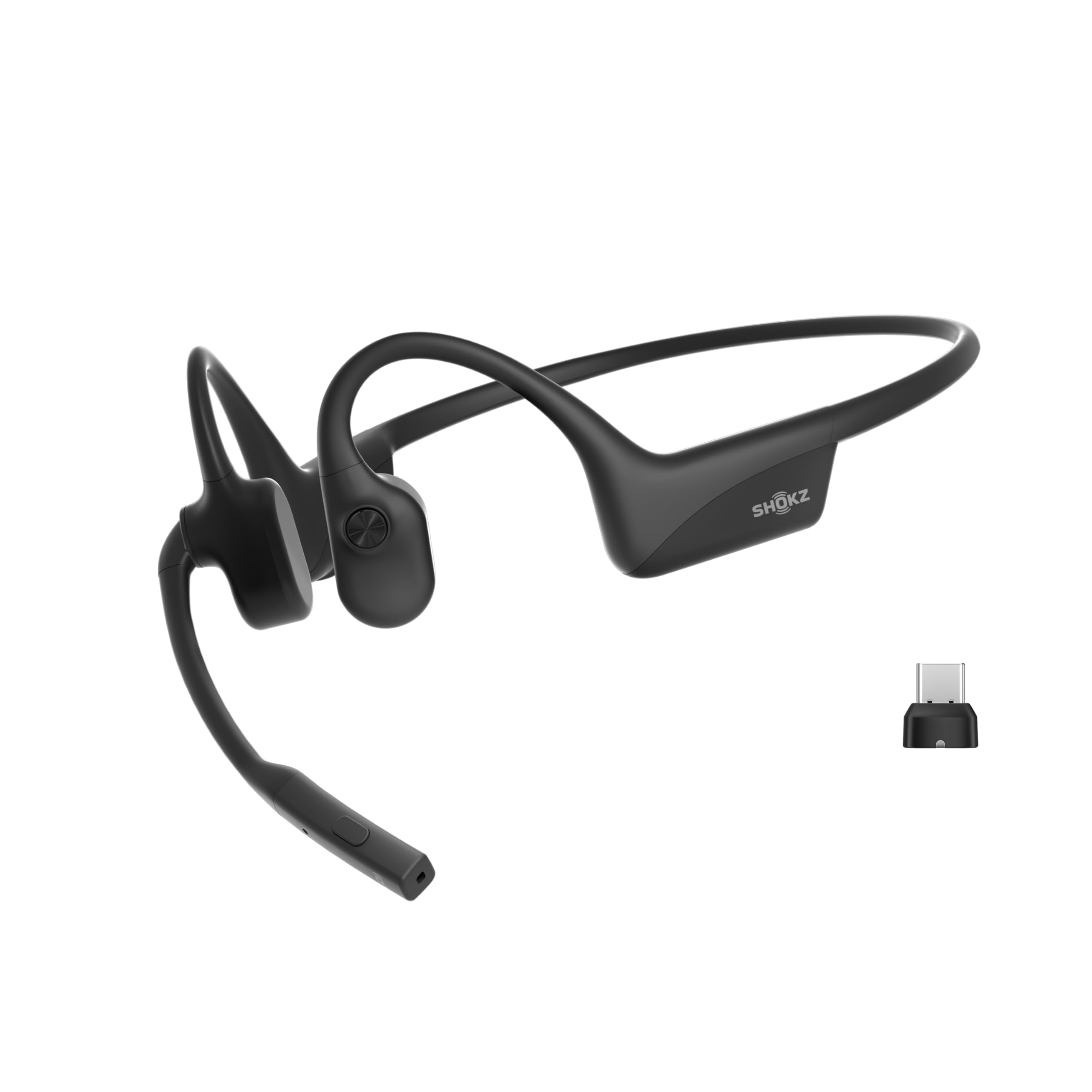
The SHOKZ OpenComm2 UC is built around work calls: an open-ear bone-conduction design, a noise-canceling boom microphone and a Loop120 wireless adapter for PC or Mac.
This SHOKZ OpenComm2 UC Open-Ear Headset review looks at how those choices suit a call-heavy day and where its work-first design may not fit.
OpenComm2 UC Review Summary
The quick verdict
500+ ratings
Read Amazon ReviewsSHOKZ OpenComm2 UC
A practical fit for remote and hybrid workers who want open-ear comfort, a boom mic and a dedicated computer adapter for calls.
- Open-ear bone-conduction design with SHOKZ 7th generation Bone Conduction Technology and PremiumPitch 2.0 audio.
- A noise-canceling boom microphone using DSP technology for call-focused voice pickup.
- Loop120 wireless adapter for PC and Mac, with Zoom certification.
- Lightweight 35 g construction with a flexible frame and soft silicone finish described as IP55 water-resistant.

Pros
- Open-ear wearing style can suit people who prefer not to seal their ear canals during calls.
- Boom microphone, DSP and a dedicated mute control make conversation features easy to access.
Consider before buying
- The open-ear design leaves the ears uncovered, so it may be less suitable when a listener wants sound isolation.
- Its computer adapter and call controls are most valuable to buyers who spend meaningful time on work calls.
Read the full review summary
The central appeal is a headset that keeps the ear canal open while putting voice communication first.
Its 35 g flexible frame, physical call and volume controls, and bundled USB-C wireless adapter are practical details for someone moving between meetings at a computer.
Zoom certification is also relevant to buyers who rely on that meeting platform.
The battery figures are geared toward a mixed workday, with up to 16 hours of talk time or 8 hours of listening per charge; a five-minute quick charge can provide up to two hours of talk time.
Those are maximums rather than guarantees for every use pattern. The headset makes most sense for calls and computer collaboration, while buyers seeking sport-oriented water protection or music-led sound should weigh its work-focused feature set carefully.
The buying factors
OpenComm2 UC Scorecard
Editorial scores reflect listed features and buyer fit; they are not laboratory measurements or customer ratings.
Call-focused design
A noise-canceling boom microphone with DSP and physical mute control prioritize conversation.
Computer setup
The Loop120 wireless adapter is designed for PC and Mac use, and the headset is Zoom-certified.
Open-ear comfort
Its 35 g weight, flexible frame and open-ear fit are suited to extended wear, though comfort varies by person.
Call controls
Physical buttons cover volume, mute, playback and other basic actions without relying on touch gestures.
Workday endurance
Up to 16 hours of talk time and a quick-charge option are useful for long call schedules.
Everyday versatility
It supports listening as well as calls, but the included adapter and Zoom certification emphasize computer work.
Key Features and Specifications of OpenComm2 UC
- Open-ear bone-conduction design with SHOKZ 7th generation Bone Conduction Technology and PremiumPitch 2.0 audio.
- A noise-canceling boom microphone using DSP technology for call-focused voice pickup.
- Loop120 wireless adapter for PC and Mac, with Zoom certification.
- Lightweight 35 g construction with a flexible frame and soft silicone finish described as IP55 water-resistant.
- Physical controls for volume, muting and unmuting calls, and audio playback.
- Battery life of up to 16 hours of talk time or 8 hours of listening per charge; a five-minute quick charge provides up to two hours of talk time.
Pros and Cons of OpenComm2 UC
Pros
- Open-ear wearing style can suit people who prefer not to seal their ear canals during calls.
- Boom microphone, DSP and a dedicated mute control make conversation features easy to access.
- The Loop120 adapter and Zoom certification are tailored to computer-based collaboration.
- Quick charging offers a useful top-up option when a workday runs longer than expected.
Consider before buying
- The open-ear design leaves the ears uncovered, so it may be less suitable when a listener wants sound isolation.
- Its computer adapter and call controls are most valuable to buyers who spend meaningful time on work calls.
- The stated water resistance is IP55; buyers who need equipment for swimming or very wet workouts should check that this rating fits their activity.
Who Should Buy OpenComm2 UC?
Good fit
Consider the OpenComm2 UC if your day revolves around video meetings, customer calls or collaboration from a PC or Mac.
The lightweight frame and open-ear approach make it a plausible option for people who want to remain aware of their surroundings while wearing a headset, and the boom mic and physical mute control keep common call actions close at hand.
It is also a sensible fit if you want one headset for calls and some everyday listening, rather than a device built solely for music.
The included Loop120 adapter and Zoom certification may simplify a computer-centered setup; check that the connection method suits your computer and meeting apps before buying.
The battery maximums and quick-charge detail may appeal to people with dense meeting schedules.
If you regularly spend more time listening than talking, compare your expected use with the stated up-to-eight-hour listening figure and leave room for the effect of your settings and habits.
Who should skip it
Look elsewhere if you need ear-covering isolation or want to block nearby sounds while listening. An open-ear design is intended to leave the ear canal open, which can make outside noise part of the experience.
If your priority is a swimming or high-sweat sports headset, confirm that IP55 water resistance matches the conditions you expect; this model is presented as a work headset, not as a swimming product.
How the OpenComm2 UC fits a call-heavy workday
Open-ear wear for desk and mobile work
Bone conduction and an open-ear fit are a different proposition from in-ear or ear-covering headphones.
The design may work well for people who prefer to keep their ears uncovered during calls, though it will not provide the same physical separation from surrounding sound as a sealed design.
The flexible, 35 g frame is intended for all-day workwear, but individual fit remains personal.
A microphone and controls built around conversation
The boom microphone, noise-canceling design and DSP put voice communication at the center of the headset. Physical mute and volume buttons are useful when a meeting changes quickly, since the controls can be reached directly on the headset.
Buyers should consider whether their calls are mainly in quieter rooms or places with more ambient sound; the product details do not quantify call performance in particular environments.
Computer compatibility and meeting workflow
The Loop120 adapter is specifically aimed at stable PC or Mac connection, and Zoom certification signals a focus on that meeting workflow. This pairing can be appealing for a desk setup where call reliability and straightforward controls matter.
Before choosing, check that the adapter's USB-C connection works with your computer or any dock you use.
Battery claims in practical terms
The maximum figures distinguish talk time from general listening: up to 16 hours for calls and up to 8 hours of listening.
A five-minute charge can provide up to two hours of talk time, which offers a quick recovery window between meetings.
Treat these as stated upper limits and consider your actual balance of calls and listening when judging whether the headset can cover a full day.
Alternatives to OpenComm2 UC
Battery-focused alternative
9,000+ ratings
Read Amazon ReviewsSHOKZ OpenRun Pro 2
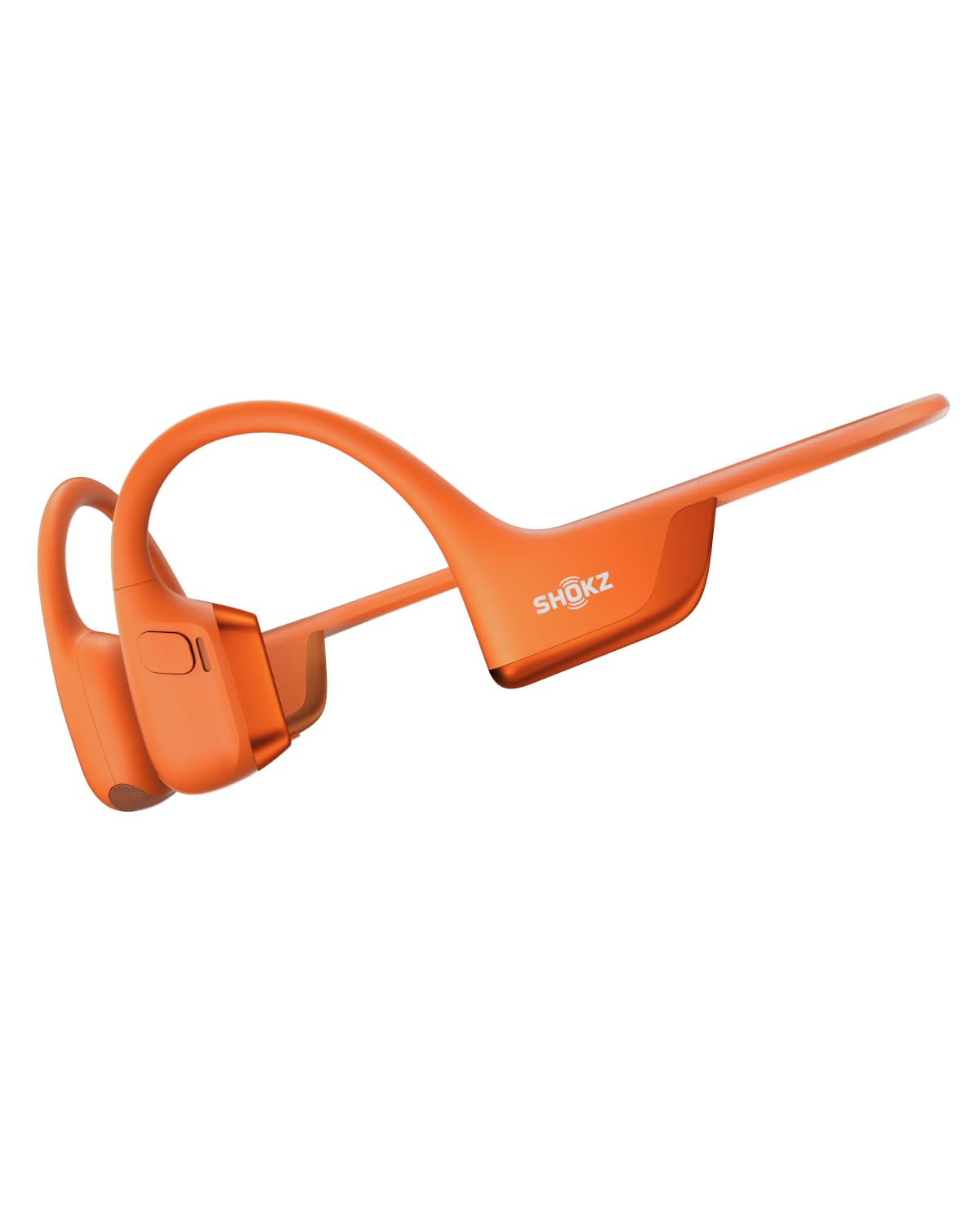
Choose the OpenComm2 UC for computer-centered meetings and its dedicated call controls. Consider the OpenRun Pro 2 if workout listening, longer stated audio time and adjustable EQ better match your routine.
- The OpenRun Pro 2 is framed for running and workouts, combining bone and air-conduction drivers, up to 12 hours of audio, EQ modes, and wind-resistant microphones.
- The OpenComm2 UC emphasizes computer calls with its boom microphone, Loop120 adapter and Zoom certification.
Battery-focused alternative
2,000+ ratings
Read Amazon ReviewsJLab Flex Open Ear Earbuds
The OpenComm2 UC is the more call-workflow-oriented choice in this comparison, especially for its boom mic and included PC/Mac adapter.
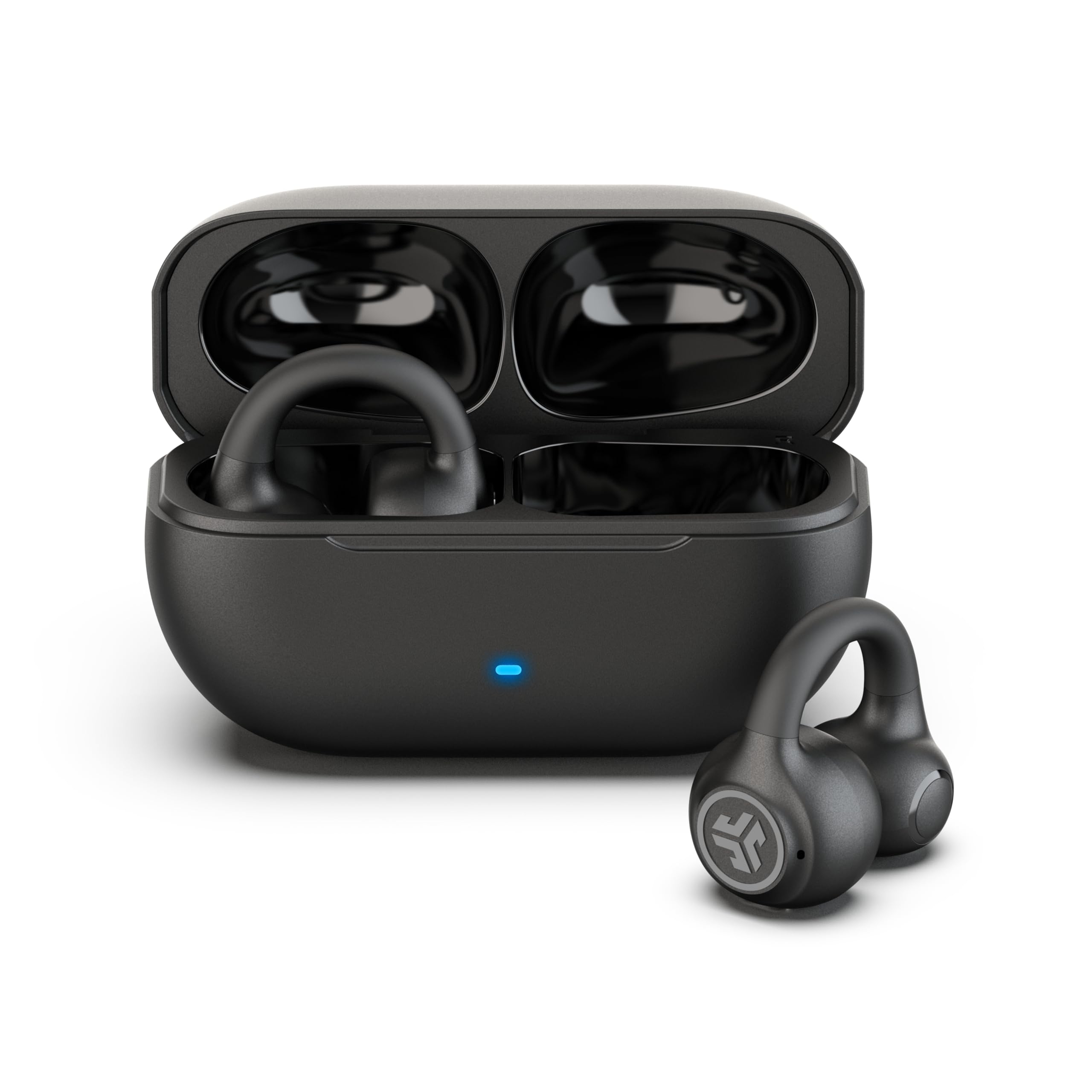
JLab Flex may suit buyers who prefer a clip-on earbud form and want to switch between two Bluetooth devices.
- JLab Flex uses clip-on earbuds, offers Bluetooth multipoint for two devices, an app with EQ and touch controls, and up to 21 hours total playtime with its charging case.
- The OpenComm2 UC uses a flexible headset frame and boom mic with a computer adapter for work calls.
Is OpenComm2 UC Worth It?
The SHOKZ OpenComm2 UC is worth considering if you want an open-ear headset designed for a computer-based workday.
Its strongest reasons to buy are the boom microphone, physical call controls, Loop120 adapter and Zoom certification, supported by useful stated talk-time and quick-charge maximums.
Choose it with a clear sense of your priorities: it favors calls and open-ear wear over isolation, and its IP55 water resistance should be matched to your intended use.
For remote or hybrid workers who value those tradeoffs, it is a focused headset worth shortlisting.
Your review at a glance
500+ ratings
Read Amazon ReviewsSHOKZ OpenComm2 UC
A practical fit for remote and hybrid workers who want open-ear comfort, a boom mic and a dedicated computer adapter for calls.
- Open-ear bone-conduction design with SHOKZ 7th generation Bone Conduction Technology and PremiumPitch 2.0 audio.
- A noise-canceling boom microphone using DSP technology for call-focused voice pickup.
- Loop120 wireless adapter for PC and Mac, with Zoom certification.
- Lightweight 35 g construction with a flexible frame and soft silicone finish described as IP55 water-resistant.