The HP Sprocket Studio Plus 4x6 Wireless Instant Photo Printer review is for anyone who wants to turn phone pictures into larger keepsakes without sending them to a print service.
Its Wi-Fi connection, editing app, and 4×6-inch output suit casual home printing, though the small included paper supply makes ongoing print costs worth checking.
Sprocket Studio Plus Review Summary
The quick verdict
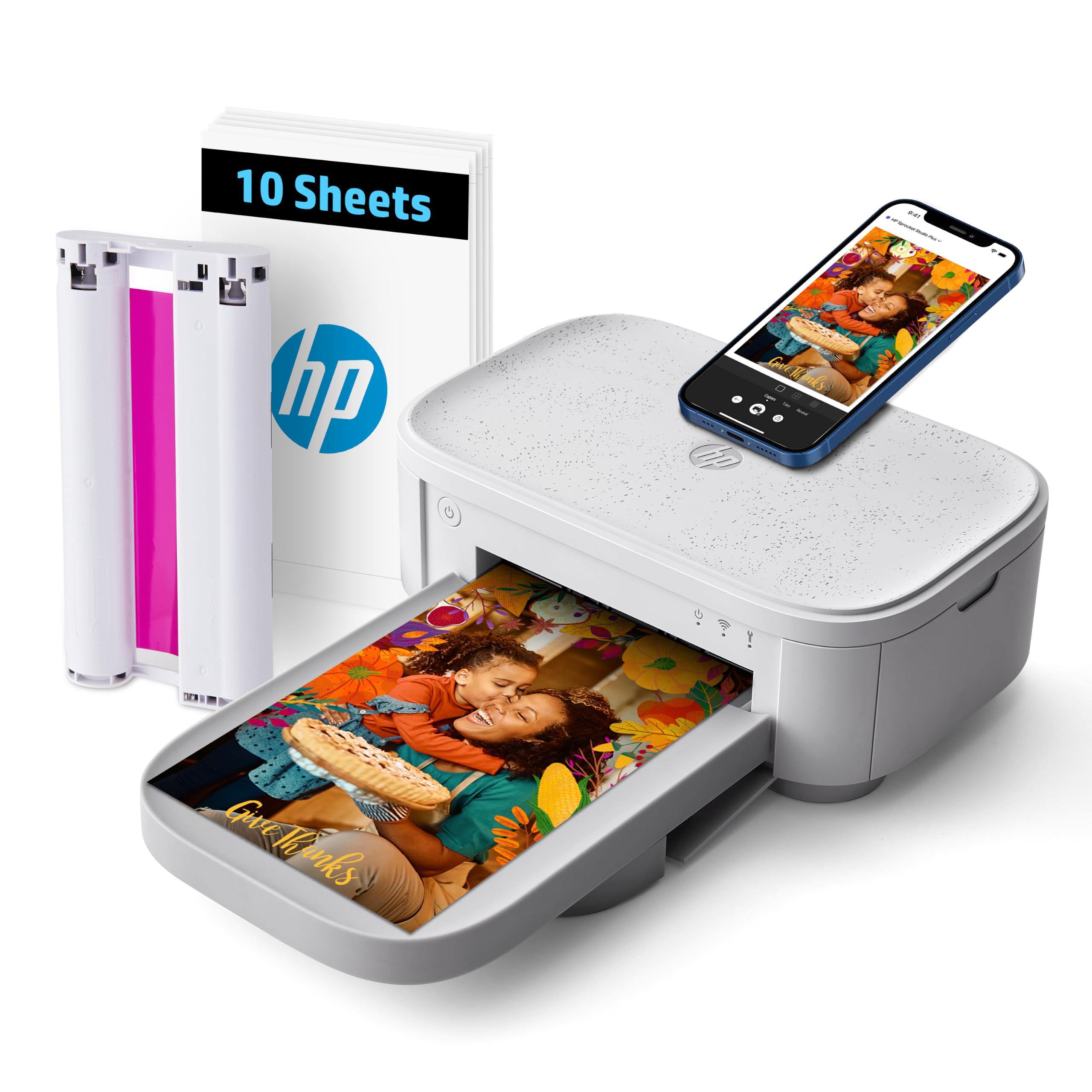
800+ ratings
Read Amazon ReviewsHP Sprocket Studio Plus
A fit for smartphone users who want customizable 4×6 prints at home and value a simple wireless workflow.
- Prints 4×6-inch color photos from a smartphone over Wi-Fi.
- Uses premium dye-sublimation printing.
- Includes 10 sheets of photo paper and a cartridge.
- Works with the HP Sprocket app for photo customization before printing.

Pros
- A familiar phone-centered workflow avoids the need to transfer photos to a computer first.
- The 4×6-inch output works well for albums, frames, and sharing physical copies.
Consider before buying
- The included 10 sheets are a limited starter quantity for anyone expecting to print frequently.
- Printing depends on a smartphone app and Wi-Fi connection, so buyers should confirm their phone and network work with the setup they intend to use.
Read the full review summary
The Sprocket Studio Plus is built around a simple routine: choose a picture on a smartphone, edit it in the HP Sprocket app, and print a 4×6-inch photo wirelessly.
The app’s stickers, frames, filters, collage, photobooth, and photo ID options give users ways to make prints feel more personal before they come out.
Its dye-sublimation process is paired with tear-resistant, smudge-proof, waterproof paper, and the prints are described as dry to the touch when produced. That makes the format appealing for albums, framing, and casual sharing.
The included supply is 10 sheets plus a cartridge, so buyers planning regular batches should check the price and availability of compatible replenishment before choosing it.
The buying factors
Sprocket Studio Plus Scorecard
Editorial scores reflect listed features and buyer fit; they are not laboratory measurements or customer ratings.
Phone-first convenience
Wi-Fi printing from a smartphone and a dedicated editing app support a straightforward mobile workflow.
Print size
The 4×6-inch format is useful for albums and frames while staying manageable for home use.
Creative editing
Stickers, frames, filters, collage, photobooth, and photo ID options add flexibility before printing.
Print handling
The described paper is tear-resistant, smudge-proof, and waterproof, and prints are dry to the touch.
Starter supply
Ten sheets and one cartridge provide a modest starting quantity for a printer intended to make physical photos.
Routine printing fit
The wireless design is convenient for occasional home photos, while frequent users should account for replacement supplies.
Key Features and Specifications of Sprocket Studio Plus
- Prints 4×6-inch color photos from a smartphone over Wi-Fi.
- Uses premium dye-sublimation printing.
- Includes 10 sheets of photo paper and a cartridge.
- Works with the HP Sprocket app for photo customization before printing.
- App features include stickers, frames, filters, collages, photobooth-style pictures, and photo IDs.
- Prints are described as dry to the touch, on tear-resistant, smudge-proof, waterproof paper.
Pros and Cons of Sprocket Studio Plus
Pros
- A familiar phone-centered workflow avoids the need to transfer photos to a computer first.
- The 4×6-inch output works well for albums, frames, and sharing physical copies.
- App editing offers several ways to personalize a picture before printing.
- The specified paper is designed to resist water, smudges, and tearing.
Consider before buying
- The included 10 sheets are a limited starter quantity for anyone expecting to print frequently.
- Printing depends on a smartphone app and Wi-Fi connection, so buyers should confirm their phone and network work with the setup they intend to use.
- The description does not give a per-print supply cost; regular users should check replacement paper and cartridge pricing before committing.
Who Should Buy Sprocket Studio Plus?
Good fit
Consider the Sprocket Studio Plus if most of your photos live on a phone and you want occasional 4×6 prints for a scrapbook, family album, or frame.
Its wireless printing and app-based edits are the most useful parts of the package: you can prepare a picture and add a border or other creative treatment before printing.
It also makes sense for households that value a print designed for everyday handling.
The stated paper properties and dry-to-the-touch output are suited to sharing and storing photos, while the larger format offers more room to see a scene than a small pocket print.
The starter pack gives you a chance to try the workflow, but it is not a large stock for a photo-heavy routine.
Before buying, check that the app and Wi-Fi approach fit your phone and home setup, and look up the current cost of paper and cartridges.
Those ongoing supplies matter more than the included sheets if you expect this to become a regular part of family events or projects.
Who should skip it
Skip this model if you primarily want a pocket-sized printer for small instant keepsakes; this one is designed for 4×6-inch prints and compact home use.
It may also be a poor fit if you need large print batches right away and have not confirmed the cost and availability of replenishment supplies.
How the Sprocket Studio Plus Fits Home Photo Printing
A useful size for display and albums
A 4×6-inch print is a familiar size for albums and many frames, which makes this printer more suited to producing keepsakes than tiny novelty prints.
The choice is practical for users who want to select a few phone photos and keep them in physical form at home.
Editing before the print
The app’s stickers, frames, filters, collage, and photobooth options give users creative control before printing.
This is most valuable when personalization is part of the activity, such as preparing an album page or a small set of photos for a gathering, rather than simply making an unedited copy.
Durable paper and handling
The paper is described as tear-resistant, smudge-proof, and waterproof, with prints dry to the touch.
These design characteristics suggest convenience when handling fresh photos or sharing them, but buyers should still follow the printer and paper care guidance for their intended storage conditions.
Plan around the starter supply
The included 10 sheets and cartridge help get a first set of prints underway, but frequent printing will require additional supplies.
Checking replacement media costs before purchase helps clarify whether the printer suits occasional snapshots or a more active photo-printing habit.
Alternatives to Sprocket Studio Plus
Desktop Photo Printers alternative

19,000+ ratings
Read Amazon ReviewsKODAK Dock Plus 4×6 Photo Printer
Consider the KODAK if a phone docking and charging station or a larger included paper supply better fits your home routine.
The HP is a stronger match if its described creative app options are the feature you expect to use most.
- The KODAK Dock Plus prints 4×6-inch photos using 4PASS dye sublimation and connects to compatible phones over Bluetooth.
- Its integrated docking station can hold and charge a phone while printing; the supplied details describe a 50-sheet package.
- The Sprocket Studio Plus focuses on app-based editing and includes 10 sheets with a cartridge for 4×6-inch printing.
Battery-focused alternative

500+ ratings
Read Amazon ReviewsLiene M200 4×6 Photo Printer
The Liene may suit buyers who want the option to print without a power cord or let several people connect, based on its described battery and connection features.
Choose the HP if its photo-editing choices and home-focused setup are a closer match to how you plan to print.
- The Liene M200 is a 4×6-inch dye-sublimation printer with a rechargeable built-in battery, a Wi-Fi hotspot, and support for up to five simultaneous connections.
- Its included package lists 20 sheets and one cartridge.
- The Sprocket Studio Plus uses Wi-Fi and is described for compact home printing, with app-based creative edits and a 10-sheet starter supply.
Is Sprocket Studio Plus Worth It?
The HP Sprocket Studio Plus is worth considering for smartphone users who want customizable 4×6 prints at home.
Its app features and paper designed to resist everyday handling make the core appeal easy to understand, especially for albums, frames, and occasional family photos.
Buy it if the Wi-Fi and app workflow suit your phone and you have checked the cost of replacement supplies.
The modest 10-sheet starter pack is the main practical constraint, so frequent printers should plan for ongoing paper and cartridge purchases.
Your review at a glance
800+ ratings
Read Amazon ReviewsHP Sprocket Studio Plus
A fit for smartphone users who want customizable 4×6 prints at home and value a simple wireless workflow.
- Prints 4×6-inch color photos from a smartphone over Wi-Fi.
- Uses premium dye-sublimation printing.
- Includes 10 sheets of photo paper and a cartridge.
- Works with the HP Sprocket app for photo customization before printing.