A useful home office gift can make daily work calls, desk organization, and creative projects feel more manageable. These ten ideas span practical workspace additions and equipment for audio, connectivity, and focused work.
Consider how the recipient actually uses their workspace: a compact accessory may suit a shared desk, while a more involved upgrade is best for someone whose setup you know well.
10 Home Office Tech Gifts for Different Workstyles
SABRENT 5-in-1 USB-C Hub
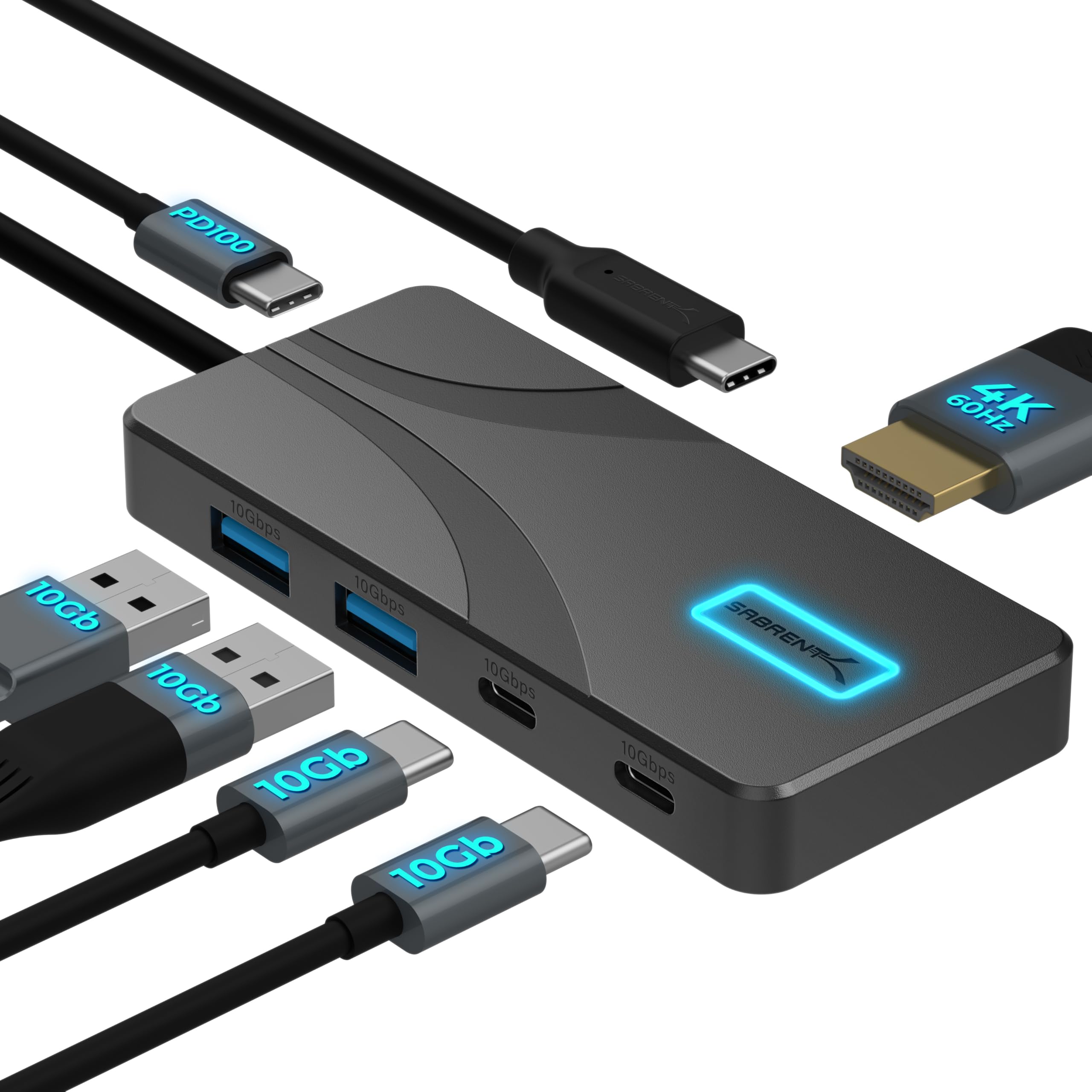
- Adds USB-A and USB-C connections for common desk peripherals.
- Supports an HDMI display at up to 4K@60Hz.
- The aluminum housing uses passive cooling.
Best Gift For: A laptop user who wants to connect desk peripherals and an external display.

JLab Go Work Wireless Headset

- Connects to two devices at once over Bluetooth multipoint.
- The boom mic rotates out of the way for listening.
- A red LED indicates when the mic is muted.
Best Gift For: Someone who moves between computer work and phone calls.
FIFINE T669 USB Microphone Kit

- Connects to a PC or laptop through USB without extra hardware or drivers.
- Includes a boom arm stand and pop filter.
- The arm can be adjusted to position the microphone.
Best Gift For: A home worker who records podcasts, voiceovers, or online calls.
Sleek Socket Flat Outlet Concealer
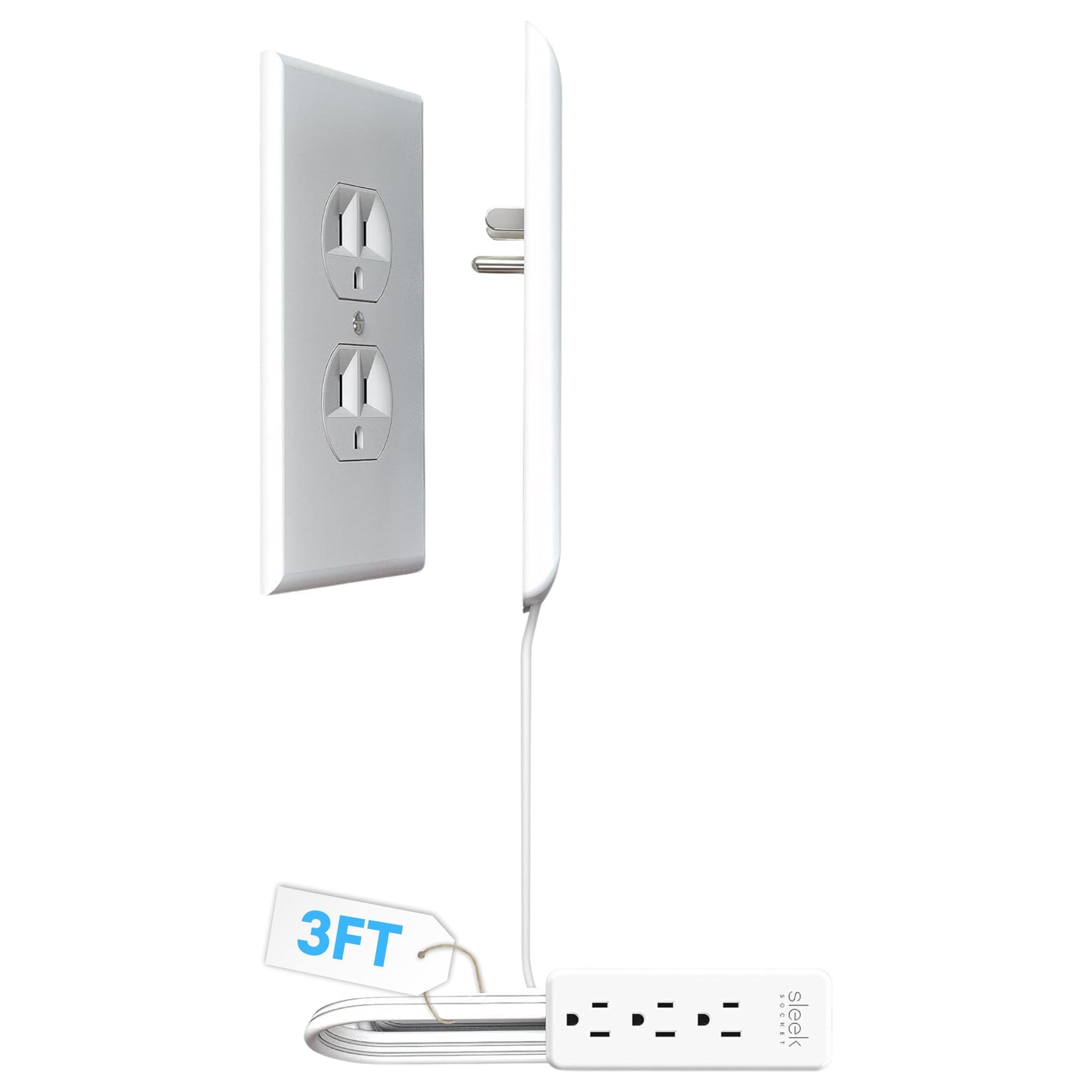
- The flat cord is designed to keep a space tidy.
- Includes a three-outlet power strip.
- Adhesive clips help secure the cord along a wall.
Best Gift For: Someone who wants to neaten cables around a home office outlet.
Nelko P21 Bluetooth Label Maker
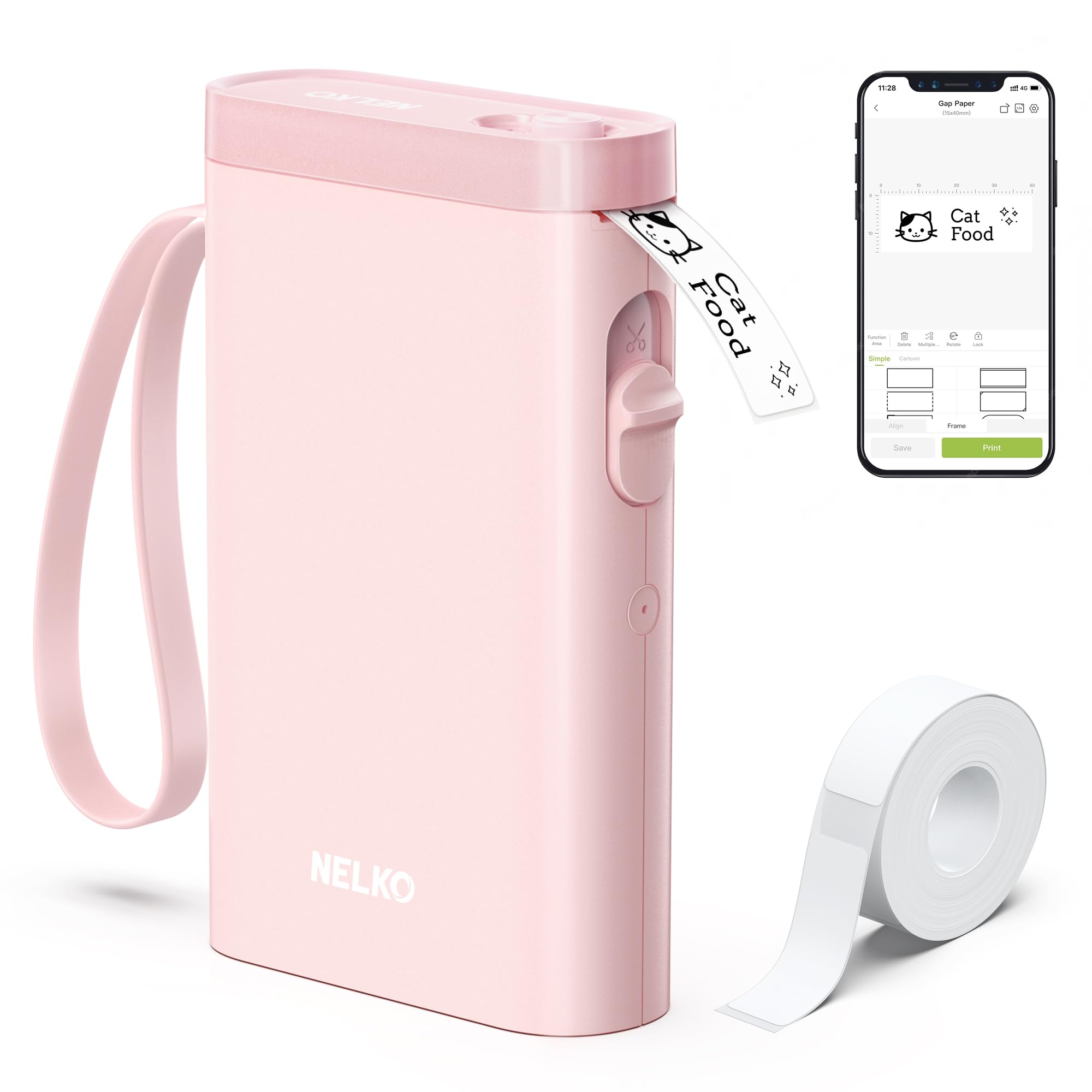
- Pairs with iOS and Android phones over Bluetooth.
- Prints black text without ink or toner.
- The app offers templates and design elements for custom labels.
Best Gift For: A home office organizer who labels supplies, mail, and storage.
TP-Link Archer BE230 Wi-Fi 7 Router
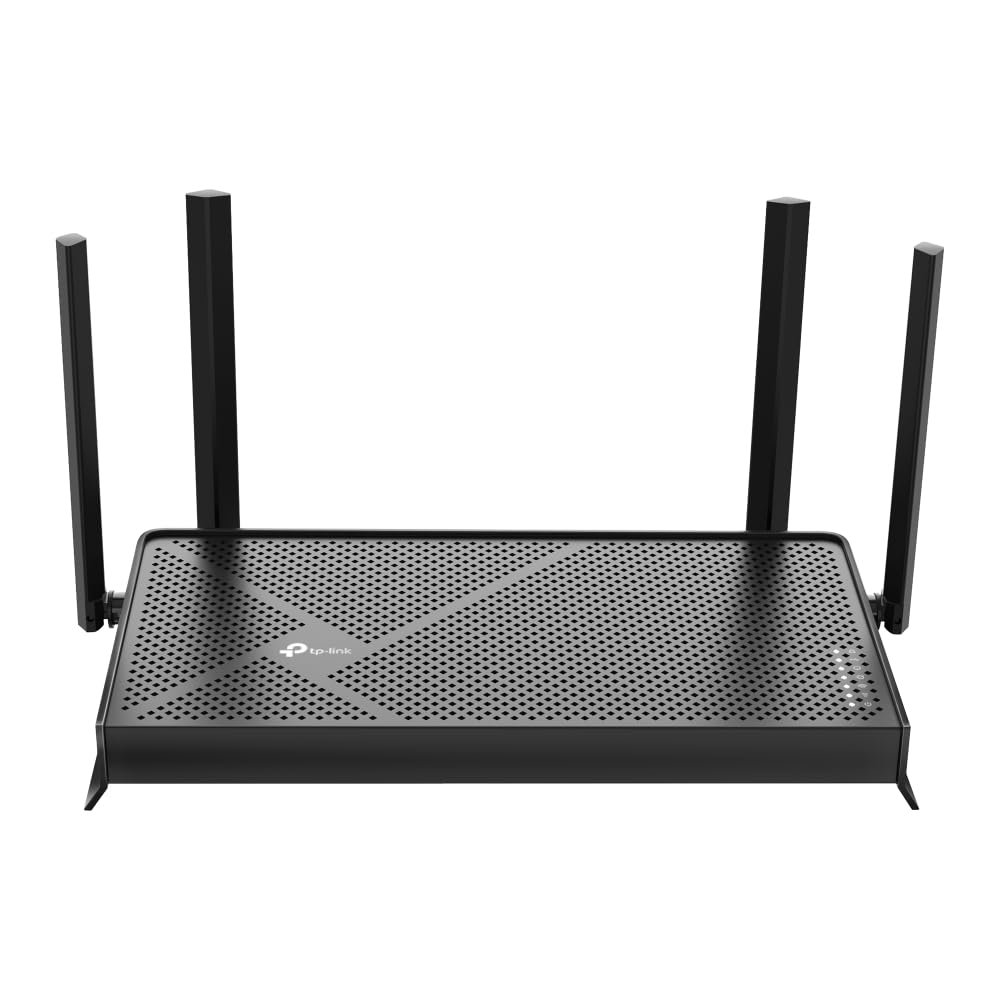
- Dual-band Wi-Fi 7 router with one 2.5G WAN/LAN port, one 2.5 Gbps LAN port, and three 1 Gbps LAN ports.
- Includes two 2.5G ports and three 1G LAN ports.
- Works with EasyMesh routers and range extenders.
Best Gift For: Someone setting up a home office where several devices need network access.
HUANUO FlowLift Single Monitor Mount

- Fits monitors from 13 to 32 inches and supports monitor weights from 4.4 to 19.8 lbs.
- Offers tilt, swivel, and rotation adjustments.
- Mounting hardware supports either clamp or grommet installation.
Best Gift For: A desk worker with a compatible monitor who wants more positioning flexibility.
Audioengine A2+ Wireless Speakers

- Designed for nearfield listening on a desk.
- Connects to a computer through USB-C.
- Can stream wirelessly from phones, tablets, and computers.
Best Gift For: Someone who enjoys music, podcasts, or video calls at their desk.
SteelSeries Apex Pro Wired Keyboard

- Offers adjustable actuation for individual keys.
- Lets one key perform two programmed actions.
- The OLED display shows information from games and apps.
Best Gift For: A home office user who also enjoys customizing a gaming setup.
MAONO Wave T5 Wireless Lavalier Mic

- Offers four one-tap voice filters.
- The receiver supports phone charging while connected.
- The charging case provides 40 hours of total use.
Best Gift For: A home worker or creator who records videos, voiceovers, or online teaching.
1. Match home office tech gifts to the workday
Start with the recipient’s routine. Someone who spends most of the day switching between a laptop and a phone may value easier calls, while a person with a crowded desk may appreciate better cable organization.
The strongest home office tech gifts solve a small, recurring frustration.
Think about the setup before choosing a device. Does the person use a laptop, desktop, or both?
Do they already have an external monitor, wired peripherals, or a preferred headset? A gift that fits an existing routine is more likely to be used than an impressive gadget that requires a new workflow.
For a creative worker, consider whether their projects involve recording or online teaching. A microphone or speakers can support those activities, while a label maker or outlet organizer may suit someone who prefers a calmer, more orderly workspace.
Choose based on what they do often, not on a job title alone.
2. Balance budget and usefulness
A modest gift can be valuable when it removes an everyday annoyance. Desk organization and simple connectivity accessories may be practical choices for a colleague or a friend whose workspace you only know casually.
For a larger upgrade, think about how frequently the recipient will use it and how well it fits their existing equipment.
Higher-cost picks make more sense when you know the person’s setup and preferences. Before choosing a router, display mount, or audio system, check current product details, compatibility, dimensions, and the recipient’s available space.
A feature-rich device is only useful when it can work with the equipment already in the home.
Keep the full setup in mind. Some gifts may call for compatible cables, a suitable outlet, a particular phone platform, or an existing connection.
When you are unsure, a smaller accessory with a clear everyday purpose can feel more thoughtful than a larger purchase that leaves the recipient with extra setup decisions.
3. Personalize home office tech gifts
Personal details make practical gifts feel considered. Think about whether the recipient prefers a minimalist desk, listens to music while working, hosts frequent video calls, or likes to keep supplies carefully labeled.
That clue can help you choose among home office tech gifts without guessing at features they may not need.
Presentation can make an equipment gift more inviting. Wrap a small accessory in a reusable pouch or pair an organizer with a handwritten note explaining the workspace problem you had in mind.
For a larger item, include a simple card that lets the recipient know you are happy to help with setup if they want it.
Avoid turning a gift into an assignment. A device that needs installation or app setup may be welcome, but the recipient should have room to choose when to configure it.
If you can, include a gift receipt and keep packaging easy to open, especially when compatibility or personal preferences are uncertain.
4. Choose for the workspace
Picture where the gift will live. A shared dining table, a compact bedroom desk, and a dedicated office all have different constraints.
Measure available space before selecting desk equipment, and consider whether a cable will need to reach an outlet or a device needs a clear place to sit.
Pay attention to the recipient’s existing connections and devices. Check compatibility with their computer or phone, whether they use wired or wireless accessories, and whether a monitor can accept a mount.
Current product details can help settle those questions; avoid assuming that similar-looking equipment will fit.
If you are shopping for a team member, consider the office norms as well as personal taste. A practical, easy-to-store accessory may suit a shared or temporary workspace better than a large permanent installation.
For someone working from home every day, a comfort or organization upgrade may be more personal and useful.
5. Last-minute buying advice
When time is short, choose a gift with a straightforward purpose and confirm the recipient’s device compatibility before ordering. Review current product details and delivery estimates rather than relying on assumptions about availability.
If the delivery timing is uncertain, a thoughtful note or small digital card can make the intention clear while the physical gift arrives later.
Avoid rushing into a complex purchase just because it seems impressive. A monitor accessory, network device, or recording setup can depend on measurements and equipment the recipient already owns.
If you cannot verify those basics, choose a compact item with a more obvious fit or give them the option to select the exact model themselves.
For a polished handoff, remove store receipts from the package, include a brief personal message, and keep any instructions or included components together. The note can explain why you thought of them and leave room for them to decide how the gift fits their workspace.
Practical gifts feel most personal when they support the recipient’s habits and choices.