Shopping for a tech lover can mean choosing a small everyday upgrade or a centerpiece for a gaming or creative setup. This collection of 13 gift ideas covers several kinds of devices and interests.
Consider what they use most, along with the connections and space they have available. The guide below offers practical ways to narrow down a thoughtful pick.
13 Gift Ideas for Tech Lovers
SteelSeries Apex Pro TKL Gaming Keyboard

- The tenkeyless form leaves room for a more compact gaming desk arrangement.
- Adjustable actuation offers per-key tuning for different play styles.
- The keyboard includes a detachable USB-C connection.
Best Gift For: A PC gamer who would appreciate adjustable key response and a compact desk setup.

SteelSeries Rival 5 Gaming Mouse

- Its layout has programmable controls and quick-action side buttons.
- The optical sensor supports one-to-one tracking.
- A lightweight build suits gaming sessions where easy mouse movement matters.
Best Gift For: A gamer who plays fast-paced titles and wants programmable side controls.
SteelSeries Arctis Nova Pro Wireless Headset

- Connect two systems and switch between supported platforms.
- Active noise cancellation is paired with a transparency mode.
- The base station keeps a spare battery charging for swapping.
Best Gift For: A gamer who moves between supported consoles, a computer, or mobile audio.
FIFINE AmpliGame AM8 USB/XLR Microphone

- Choose USB or XLR connectivity for compatible audio setups.
- USB connection provides a tap-to-mute control and gain knob.
- RGB lighting can be changed or turned off with a button.
Best Gift For: A streamer or podcaster who wants a desktop microphone with USB and XLR options.
Audioengine A2+ Wireless Computer Speakers

- The powered speakers are designed for nearfield desk listening.
- They support wireless streaming and several wired connections.
- Real wood cabinets and tuned drivers are part of the speaker design.
Best Gift For: Someone who listens to music, plays games, or takes calls at a desk.
TP-Link Archer AXE75 WiFi 6E Router

- The tri-band router includes a 6 GHz band for compatible devices.
- It supports a OneMesh network with a compatible extender.
- The router supports both VPN Server and VPN Client.
Best Gift For: A gamer or household connecting multiple devices.
SABRENT USB-C 6-Port Hub and M.2 SSD Dock

- It combines USB ports, power delivery, networking, and an M.2 slot.
- The HDMI port supports an external display at up to 4K@60Hz on compliant devices.
- The hub supports Windows, macOS, and Linux systems.
Best Gift For: A laptop or handheld-device owner who could use more ports, display output, or portable storage.
Nulaxy Pull-Out Height-Adjustable Laptop Stand

- The screen height can be raised or lowered for sitting or standing.
- The pull handle lets the user switch between postures.
- It folds for storage or carrying between home and office.
Best Gift For: A laptop user who changes posture at a desk or wants a more adjustable screen position.
SHOKZ OpenFit Open-Ear Bluetooth Earbuds

- The open-ear design keeps surroundings audible during listening.
- Earhooks are designed for a flexible, secure fit.
- The charging case provides up to 28 hours of listening.
Best Gift For: An audio listener who wants to hear audio while staying aware of nearby sounds.
LISEN MagSafe Power Bank for iPhone and Apple Watch
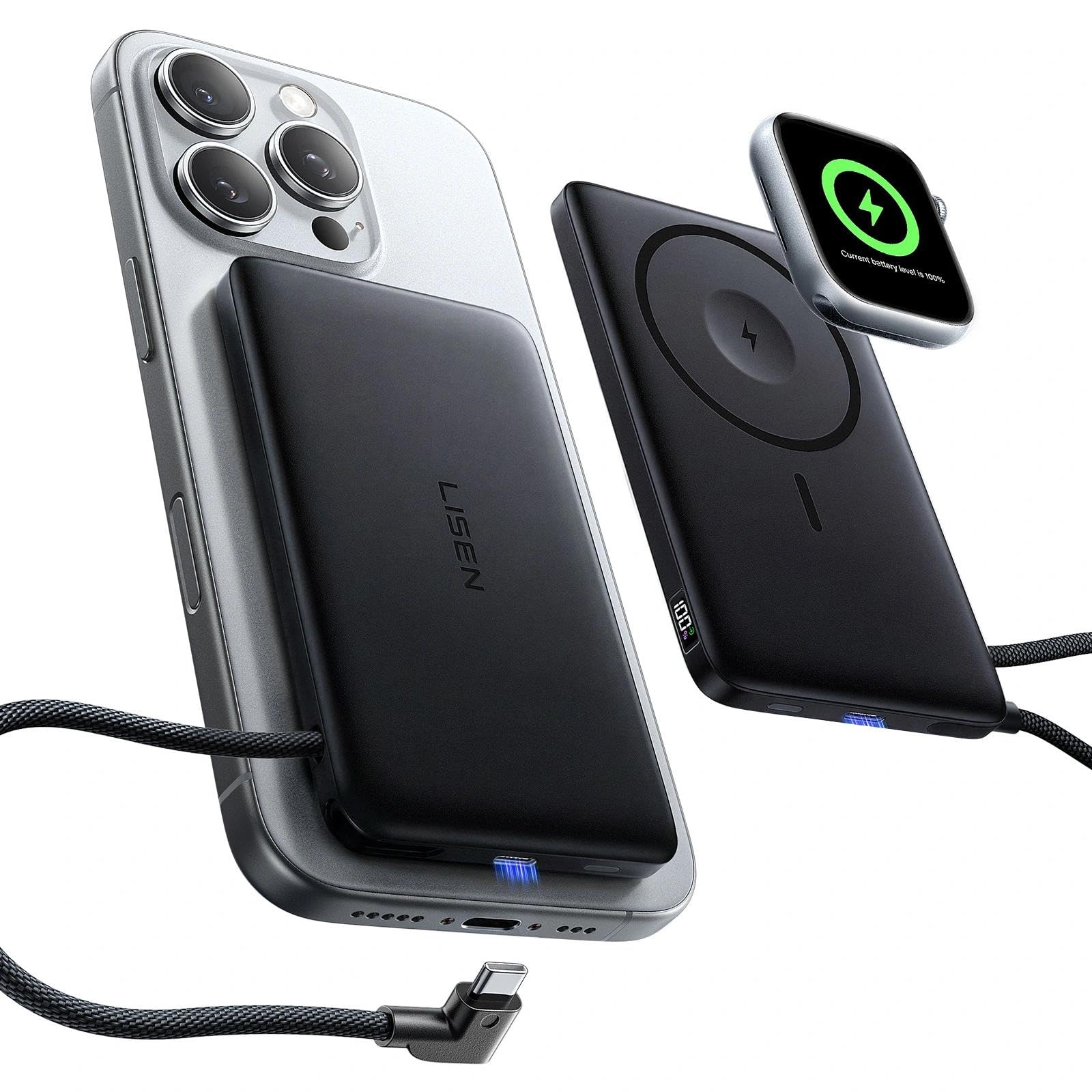
- The power bank supports MagSafe and Apple Watch charging.
- A built-in USB-C cable can charge compatible devices.
- A display shows remaining power and charging status.
Best Gift For: An iPhone and Apple Watch owner who wants a portable charging option for compatible devices.
MAONO Wave T5 Wireless Lavalier Microphone

- The wireless microphone is designed for plug-and-play use.
- It offers four one-tap voice presets.
- The charging case provides up to 40 hours of total use.
Best Gift For: A video creator or interviewer recording with a compatible phone, camera, or computer.
HP Sprocket Select Instant Photo Printer

- The portable printer works with iOS and Android devices.
- Its sticky-back photo paper uses ZINK technology.
- The app includes frames, filters, and tools for custom stickers.
Best Gift For: A phone photographer who enjoys making small printed keepsakes or custom stickers.
SABRENT SuperSpeed USB 3.0 Card Reader
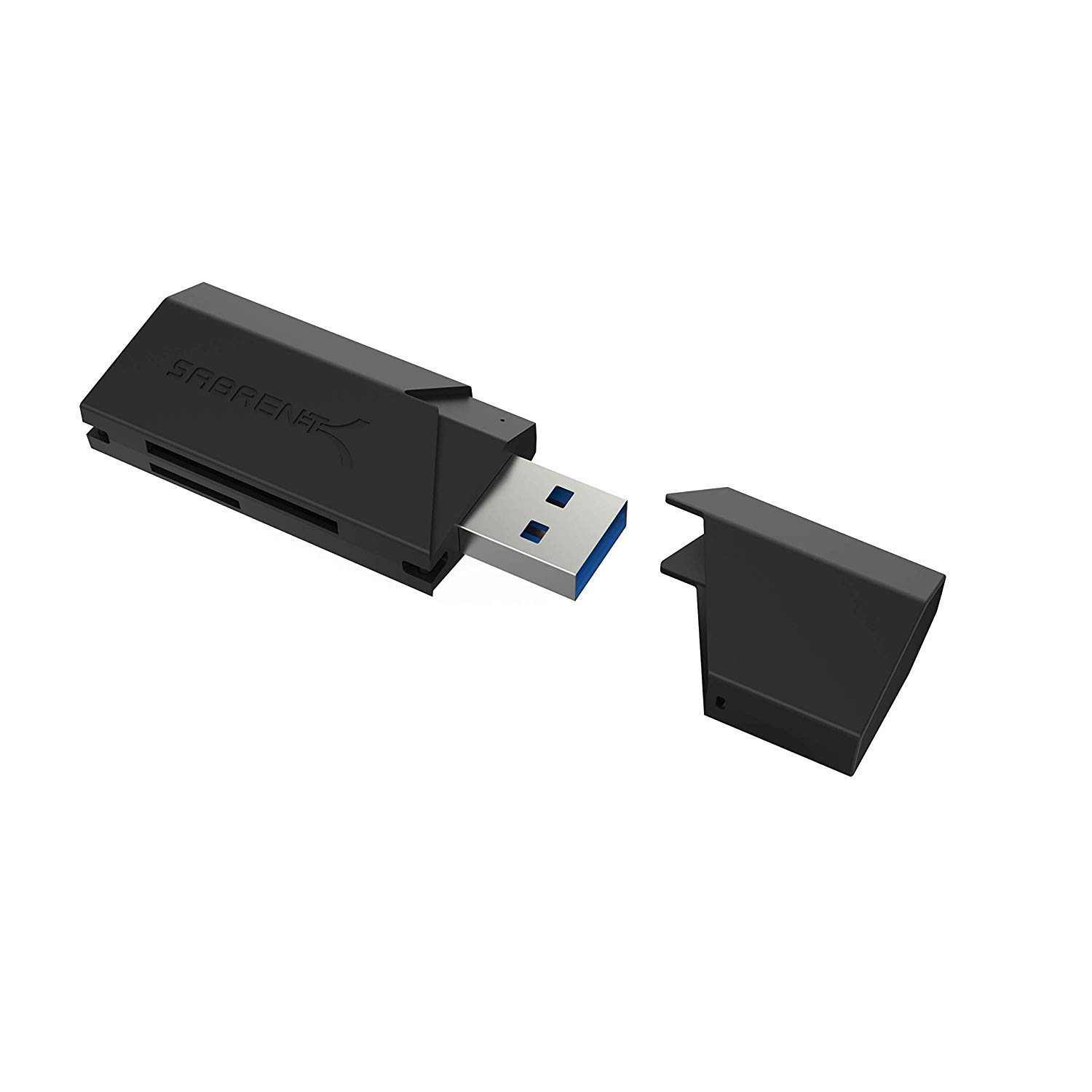
- It supports several SD and smaller memory card formats.
- The reader can use a USB 2.0 host connection too.
- It draws power through USB without a separate supply.
Best Gift For: A photographer or computer user who transfers files from supported memory cards.
1. Match Gifts for Tech Lovers to Their Daily Routine
For gifts for tech lovers, start by noticing which part of the day they spend with their devices. A player may spend hours at a desk, while a creator records in different rooms or takes a phone out for quick clips.
The best fit usually solves a familiar friction point.
Think about where the person uses the gear and what they already own. A desk accessory should fit the available space; a hub or charger should work with their actual devices and ports.
If you are unsure, a clear return policy and gift receipt make a considered choice easier to exchange.
A small accessory can be especially thoughtful when it complements something they use often. Pair a practical device with a short note explaining the moment you had in mind, such as smoother file transfers, a more comfortable workstation, or a convenient way to save a favorite photo.
2. Set a Comfortable Spending Range
Tech gifts span from modest accessories to substantial setup upgrades, so decide on a comfortable range before comparing features. A useful gift does not need to transform someone’s whole workspace; it can simply make one regular task less awkward or more enjoyable.
Consider what else the recipient would need to use the item. A larger device can call for compatible cables, a suitable computer, or room on a desk.
Check current prices and compatibility before buying, and include any essential add-ons in your own budget rather than assuming they are already available.
If several people are contributing, agree on a shared spending limit and choose one item that matches the recipient’s routine. For a solo gift, a well-chosen everyday accessory can feel personal without competing with a major purchase the recipient would rather select themselves.
3. Personalize Gifts for Tech Lovers
For gifts for tech lovers, personalization can come from matching a device to a particular habit: late-night gaming, remote calls, travel editing, or a desk that serves both work and hobbies. A brief note connecting the gift to that routine makes a practical object feel deliberately chosen.
Check the recipient’s device ecosystem before ordering. Confirm the operating system, connector type, and any required compatibility details; for a stand or desk accessory, consider available space and dimensions.
If they enjoy choosing their own setup, a gift card paired with a small relevant accessory can leave room for their preferences.
Presentation can stay simple. Use a sturdy box or reusable pouch, include a card with a genuine reason you chose the item, and tuck in any relevant receipt or exchange information.
For a shared gift, invite contributors to write a short message rather than adding decorative extras the recipient may not use.
4. Make the Gift Easy to Set Up
A gift that is straightforward to start using can be especially welcome during a busy season. Before purchasing, check what the package includes and whether the recipient may need an existing device, app, cable, or account.
Avoid assuming that a connector or feature will work with every setup.
When the product depends on another device, confirm compatibility using current product information and the recipient’s model. Dimensions matter too: a compact desk may not have room for a large accessory, and a portable item should suit the way they carry their gear.
These quick checks can prevent avoidable surprises.
If you can, keep the setup information together with the gift receipt. A short note pointing out the first step or the compatibility detail you checked can be helpful without turning the present into a project.
Leave the recipient room to personalize settings at their own pace.
5. Plan for Timing and Delivery
For a last-minute choice, start with items that are easy to match to something the recipient already owns. Check current delivery estimates and return terms before placing an order, since timing can vary by location and seller.
Allow extra time if the gift needs an accessory or setup step.
If delivery timing is uncertain, a printed note or a small companion item can make the occasion feel complete while the main present is on its way. Be clear about what is arriving later, and avoid promising a date until you have checked the current estimate for the recipient’s address.
For a future celebration, buy with enough time to review the compatibility details and presentation. A little planning makes it easier to confirm the gift suits the recipient’s routine, wrap it neatly, and include a note that explains why you thought of them.