Choosing a gift for a gamer can mean improving their play space, adding a handy accessory, or making room for a shared game night.
These 10 gift ideas cover a range of gaming interests and setups. Check compatibility and desk space before choosing a larger upgrade.
10 Gift Ideas for Gamers and Their Setups
SteelSeries Arctis Nova Pro Wireless Headset

- Connect two systems at once and toggle between compatible gaming systems.
- Hot-swappable batteries let the gamer keep a spare charging in the base station.
- Bluetooth connection can mix calls or music with game audio.
Best Gift For: A gamer who switches between a PC and console or likes mixing calls and music with game audio.

SteelSeries Apex Pro TKL Gaming Keyboard

- Adjust actuation across 40 per-key levels.
- Assign two actions to one key using different press depths.
- The tenkeyless layout keeps full-size functionality in a more compact form.
Best Gift For: A PC gamer who wants to adjust key response and save space with a tenkeyless keyboard.
SteelSeries Rival 5 Gaming Mouse

- The mouse has nine programmable buttons, including five quick-action side buttons.
- The optical sensor uses one-to-one tracking.
- Weighing 85 g, it has a lightweight build and is made for fast-paced games.
Best Gift For: A player of FPS, MOBA, MMO, or battle royale games who can use extra programmable buttons.
FIFINE AmpliGame AM8 XLR/USB Gaming Microphone

- Connect through USB or XLR, depending on the setup.
- USB mode offers RGB lighting that can be changed or switched off with a button.
- USB controls include tap-to-mute, a gain knob, and headphone volume control.
Best Gift For: A gamer who streams, records voiceovers, or wants a desktop microphone for gaming.
TP-Link Archer AXE75 WiFi 6E Router

- Tri-band WiFi 6E supports gaming, streaming, and downloads at the same time.
- The 6 GHz band brings more bandwidth and faster speeds to enable more responsive gaming and video calls.
- OneMesh can create a network with a compatible TP-Link extender.
Best Gift For: A gamer whose household needs a router for gaming alongside streaming and other connected devices.
Nylavee Computer Speakers with 6 Lighting Modes

- Choose from six touch-controlled lighting modes.
- A single knob controls power and volume.
- The speakers include a USB cable for power and a 3.5 mm audio cable for sound.
Best Gift For: A gamer who wants desktop speakers with adjustable lighting and a physical volume knob.
TMY 1080P Mini Projector with 80-Inch Screen
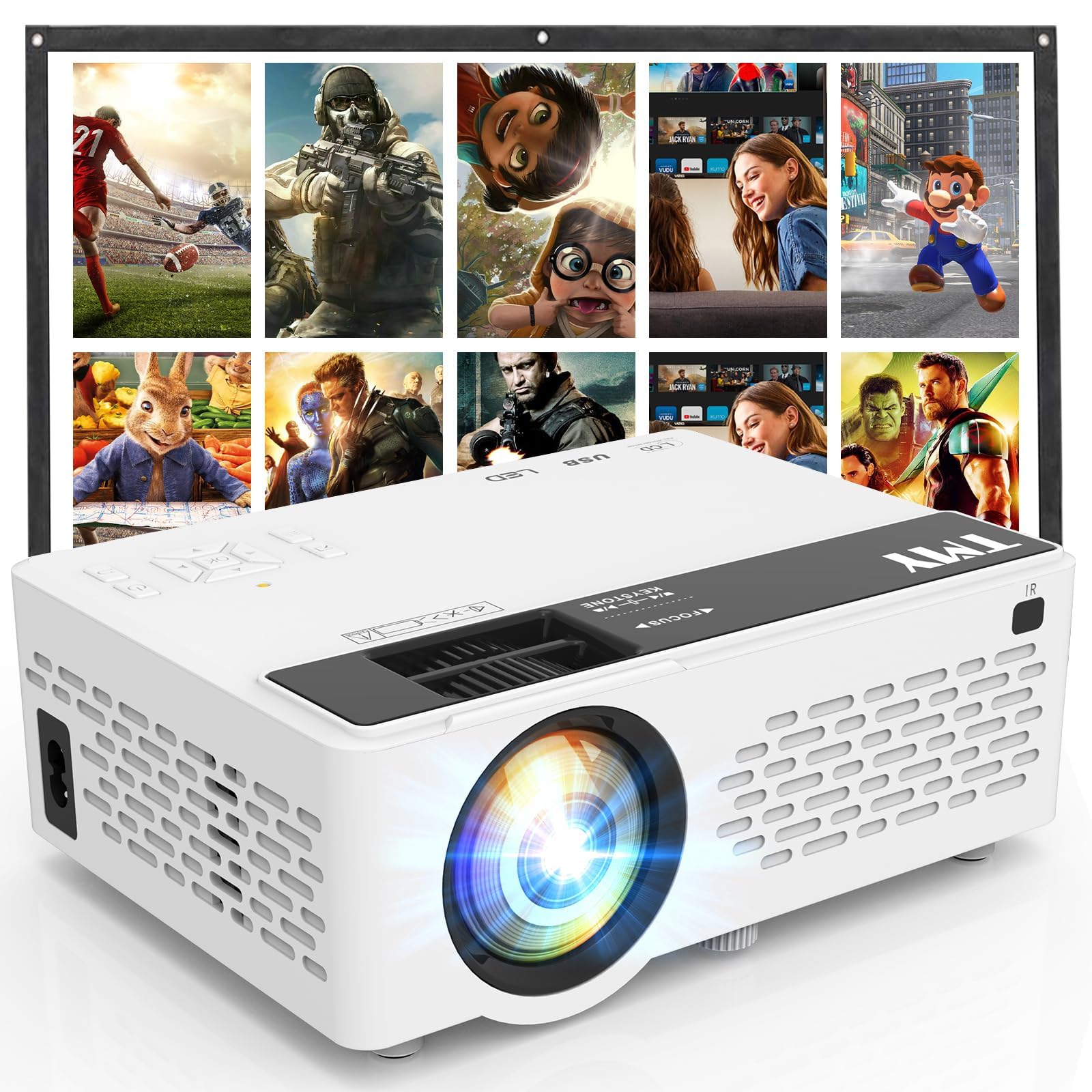
- An 80-inch foldable projection screen is included.
- The projector supports 1080P Full HD video.
- HDMI and USB ports support connection to gaming consoles and other devices.
Best Gift For: A gamer who wants to connect a compatible console for a larger shared-play setup.
HUANUO FlowLift Dual Monitor Stand

- Each arm supports a monitor weighing 4.4 to 19.8 pounds.
- The stand supports tilt, swivel, and rotation adjustments.
- Built-in cable management guides wires along the arms.
Best Gift For: A gamer with two compatible monitors and a wooden desk that meets the mount requirements.
SABRENT USB-C Hub with M.2 SSD Slot

- Connect peripherals through three USB Type-A ports.
- The HDMI port supports an external display up to 4K at 60 Hz on compatible devices.
- The internal M.2 slot supports SATA or NVMe SSDs.
Best Gift For: A laptop or handheld gaming user who needs connections for peripherals, a display, or extra storage.
SABRENT SuperSpeed USB 3.0 Card Reader
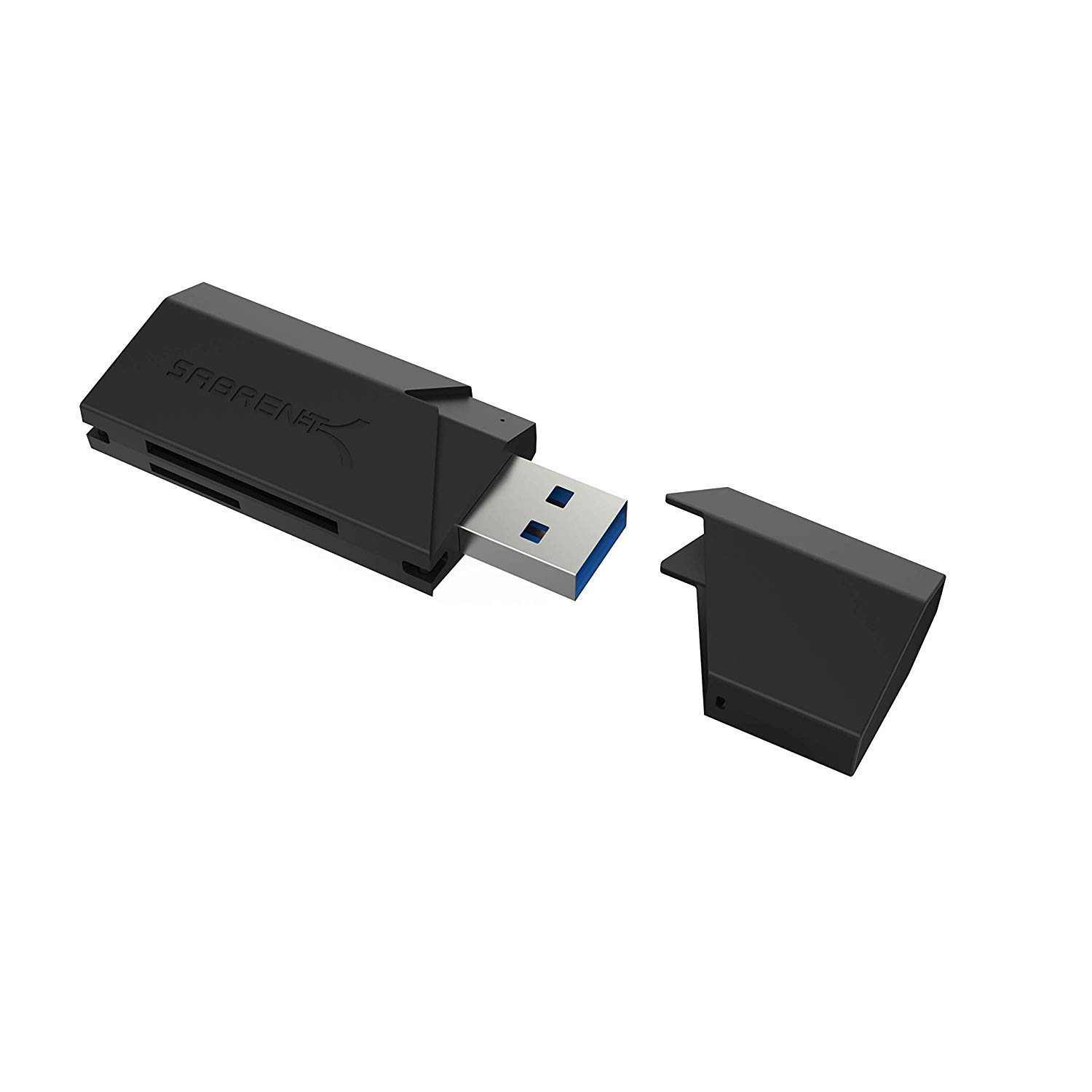
- Supports SD, SDHC, SDXC, MMC, MicroSD, and T-Flash cards.
- It can connect to USB 2.0 hosts as well as USB 3.0.
- The reader draws power through USB, with no separate supply required.
Best Gift For: A gamer who transfers files from compatible SD or MicroSD cards to a computer.
1. Start with how they play: gifts for gamers
When choosing gifts for gamers, start by picturing an ordinary session. Does the recipient play at a PC, move between consoles, stream, or invite friends to join?
A gift that fits an existing routine is more likely to be used than an impressive upgrade that does not suit their setup.
Think about the person’s gaming space, too. A desk-bound player may appreciate a change that supports their everyday arrangement, while someone who enjoys shared play may prefer a way to bring the game into a common room.
Ask a household member if you are unsure what they already own.
For technical gifts, discreetly check the devices and connections they use. A little context can prevent a mismatch and help you choose something that complements their setup instead of duplicating it.
If you cannot check, consider a smaller accessory or pair the gift with a gift receipt.
2. Balance the budget with practical value
A thoughtful gaming gift does not need to be a major upgrade. Smaller accessories can round out a desk or make it easier to connect existing devices, while larger purchases make sense when you know the recipient has been considering that particular kind of change.
Set a comfortable budget first, then compare what each option adds to the recipient’s routine. For a substantial item, check the actual price and compatibility before buying.
A lower-cost add-on can be a good choice when it fills a clear gap, but avoid assuming that every accessory works with every console or computer.
For a multi-part setup gift, check whether the essential pieces are included and whether anything else is needed. Consider the recipient’s space and existing equipment along with the purchase cost.
A useful gift should fit both the setup and the giver’s budget.
3. Personal touches for gifts for gamers
Personalization can make gifts for gamers feel considered without adding much expense. Match the choice to a game genre, a preferred play style, or the kind of time they spend online.
A practical desk addition may suit someone who plays daily, while a shared entertainment idea may work better for a household that gathers around games.
Presentation can carry that personal detail. Add a short note explaining why you chose the item, or wrap a small accessory alongside a handwritten invitation to play together.
For a gift that needs setup, include a simple reminder to check device compatibility and space before opening or installing it.
If you are unsure about technical preferences, keep the gesture flexible. A gift receipt, a card offering to choose together, or a modest accessory for a known device lets the recipient decide how it fits their setup.
Thoughtfulness comes from recognizing what they enjoy, not from guessing at specifications.
4. Last-minute gifts for gamers
For a last-minute choice, focus on items that match something you can confirm quickly: the recipient’s computer or console, their available desk space, or a known need for more connections. Confirm compatibility and dimensions using current product information before placing an order, especially for mounts and other items that have to fit existing equipment.
Check delivery estimates for the recipient’s address and the date you need. Availability and arrival timing can vary, so have a backup plan such as a printable note or a card explaining the gift if it arrives later.
This keeps the occasion thoughtful without promising a delivery date.
When time is short and details are unclear, choose something easy to exchange or let the recipient help select a bigger upgrade afterward. Read current product information carefully, confirm what is included, and keep order details accessible in case the recipient needs them.
5. Make the gift feel complete
A few small planning steps can make a gaming gift easier to enjoy. Consider where it will go, what device it will connect to, and whether the recipient has room for it.
For shared gifts, think about who else will use it and whether it fits the way people gather at home.
Avoid relying on assumptions about a gamer’s setup, skill level, or favorite titles. If you can ask a friend or family member, a quick check can narrow the choice without spoiling the surprise.
Otherwise, select a flexible accessory with a clear use and verify its compatibility before buying.
Finish with a note that connects the gift to a real moment: a planned game night, a streaming session, or time to improve a desk arrangement. The best presentation gives the recipient a reason to feel seen while leaving them room to make the setup their own.