The best USB microphones balance sound pickup, desk setup, and useful controls for the way you record or stream. These picks range from straightforward plug-and-play desktop mics to USB/XLR options, so choose based on your workspace and whether you may want an audio interface later.
Quick Top Products
JLab Talk USB Microphone
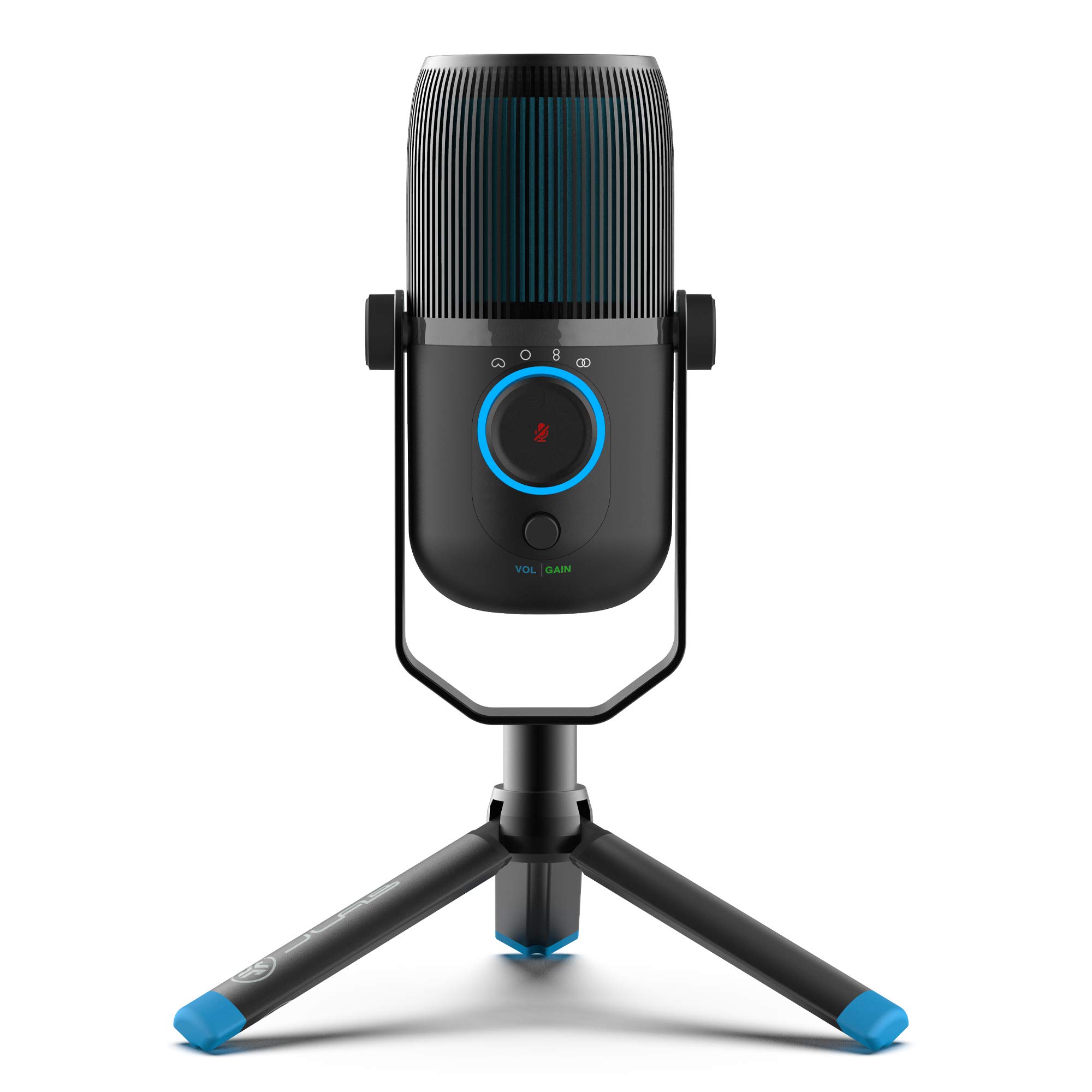
- Switch among four pickup patterns for different recording setups.
- Adjust gain and volume directly while recording.
- Monitor audio through the 3.5 mm input.
Best For: People recording solo and group audio who want to switch pickup patterns at the mic.

FIFINE K669B USB Microphone

- Connects directly to a computer with the included USB cable.
- Adjust input level with the microphone's volume knob.
- Uses a cardioid pattern for front-facing voice pickup.
Best For: Beginners who want a straightforward desktop microphone for calls, streaming, or voice recording.
Samson Meteor Mic
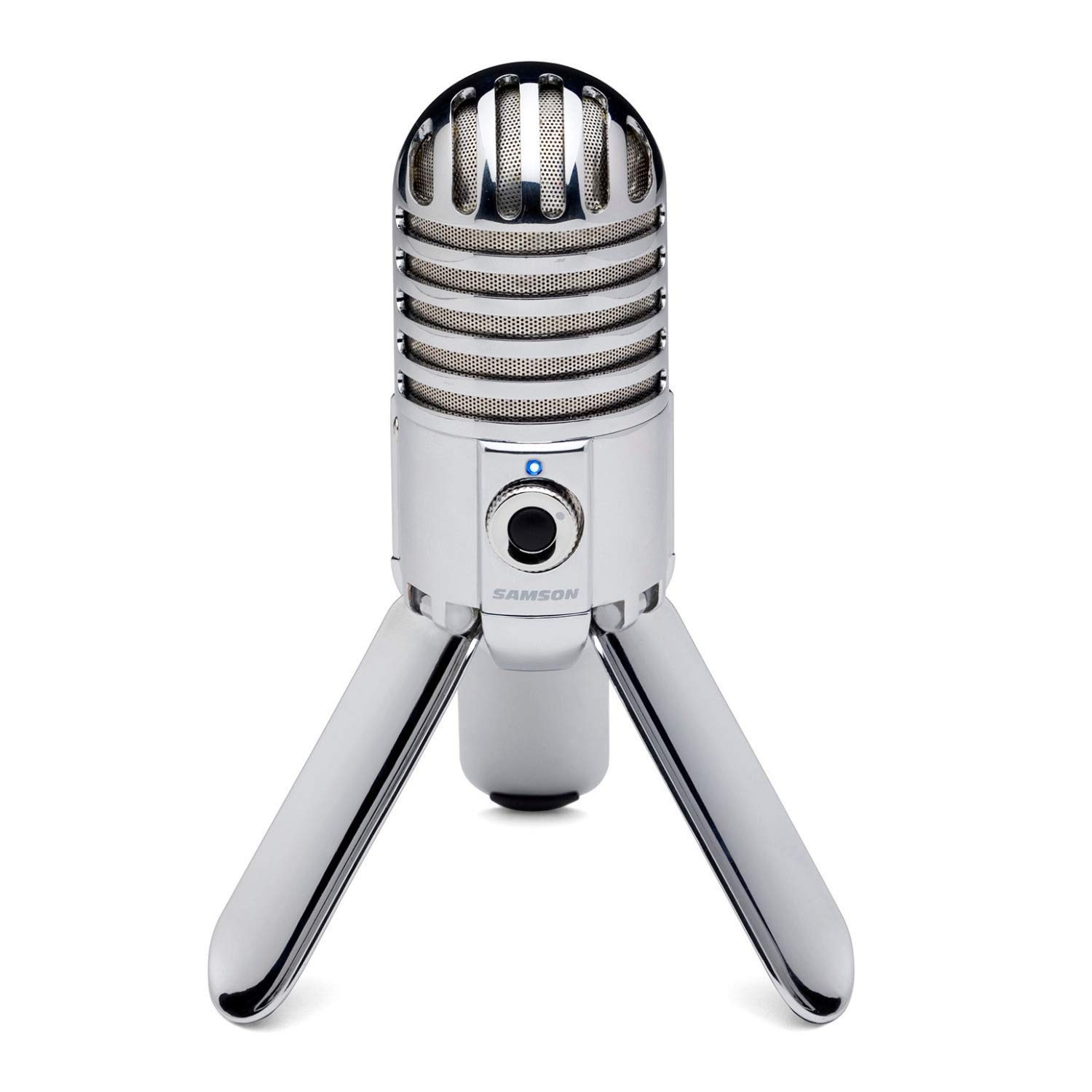
- Fold-back legs help position and transport the microphone.
- Monitor through its stereo headphone output with level control.
- A 25 mm diaphragm supports voice and instrument recording.
Best For: People who want a portable desktop condenser with built-in legs and headphone monitoring.
Samson Q9U
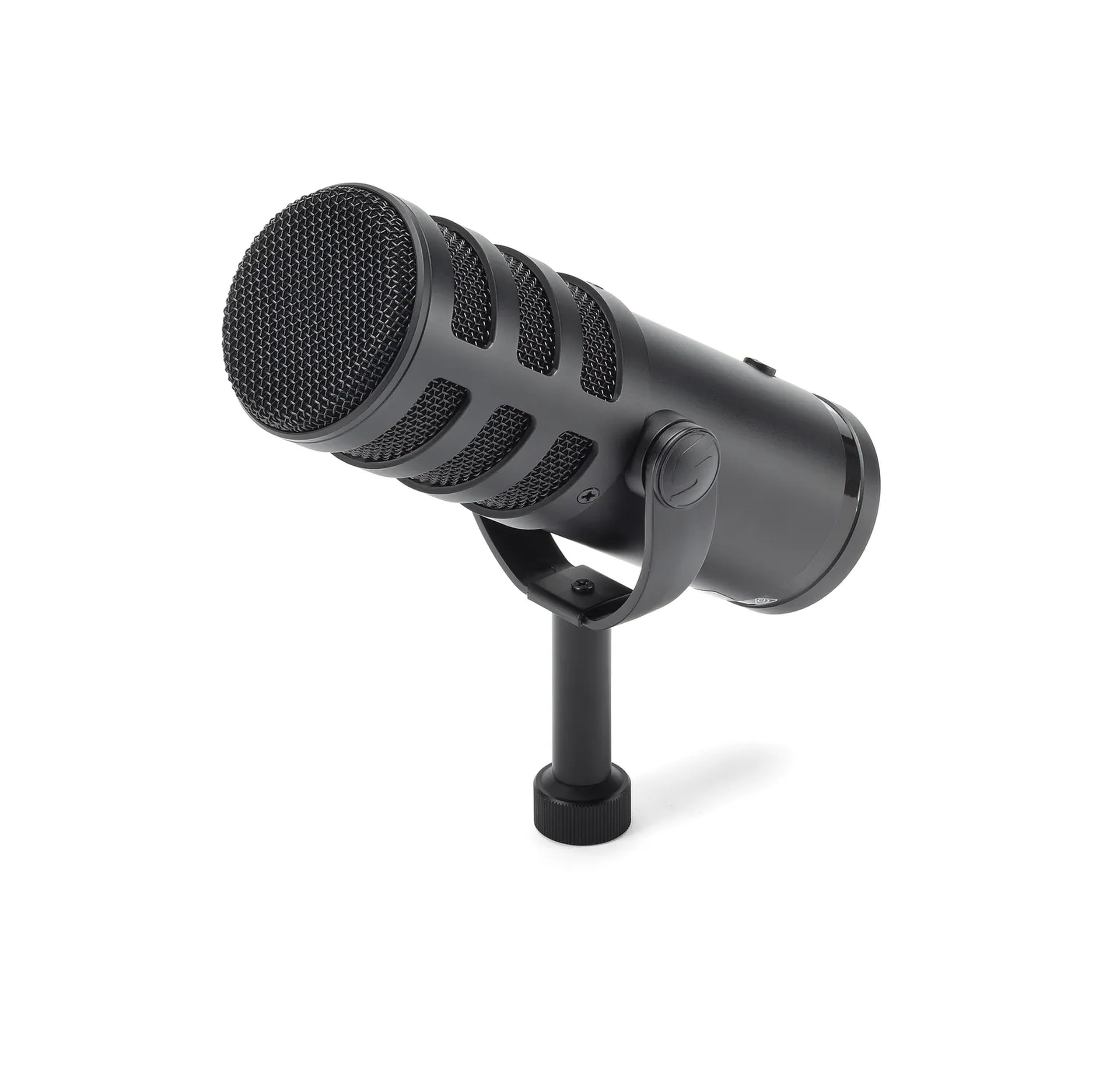
- Choose USB-C or XLR depending on the recording setup.
- Monitor with zero latency and mute either output from the mic.
- Uses a cardioid pattern and dual-layer windscreen.
Best For: Podcasters and streamers who want USB now and an XLR connection for a mixer or interface.
MAONO PD400X
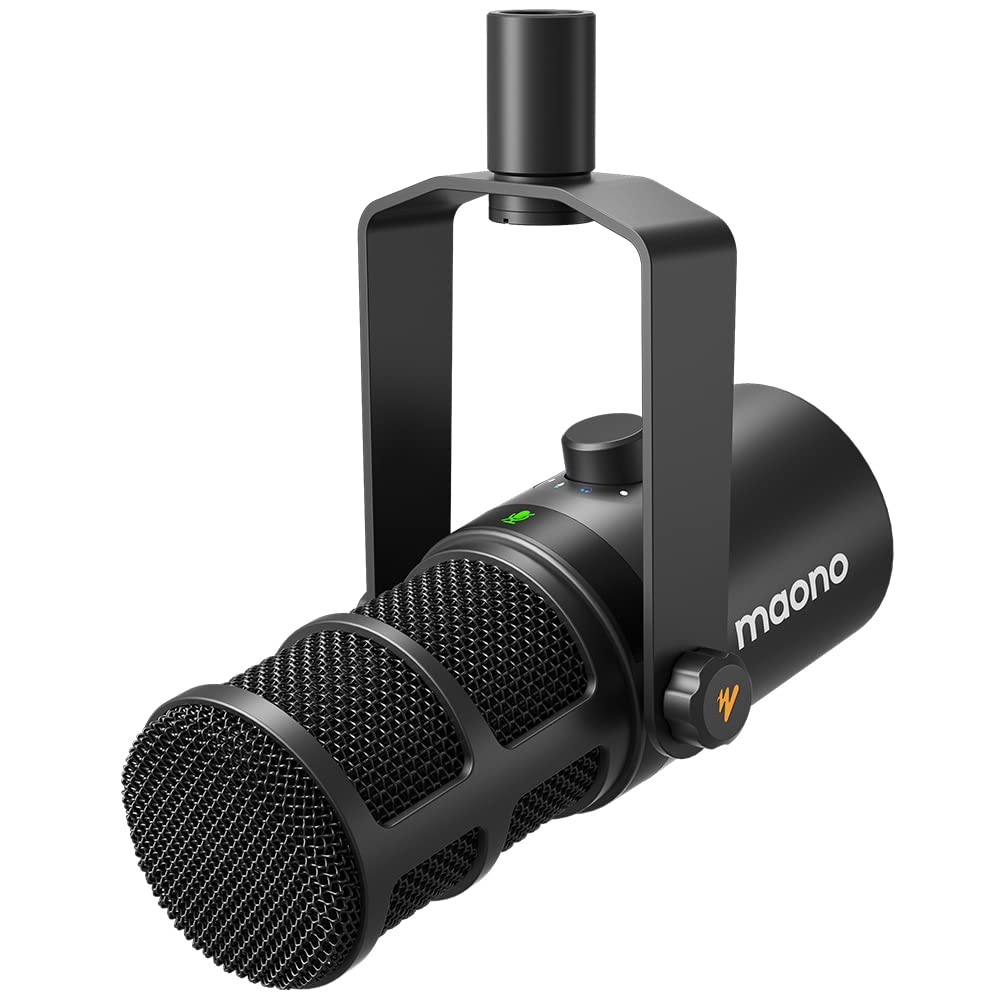
- Connect over USB or XLR for computer or audio gear use.
- Adjust EQ, limiter, compressor, and monitor mix in advanced software mode.
- Use the knob and touch key for mic and mute controls.
Best For: Podcasters who want software-based tone and monitoring adjustments alongside USB/XLR connectivity.
FIFINE AmpliTank K688
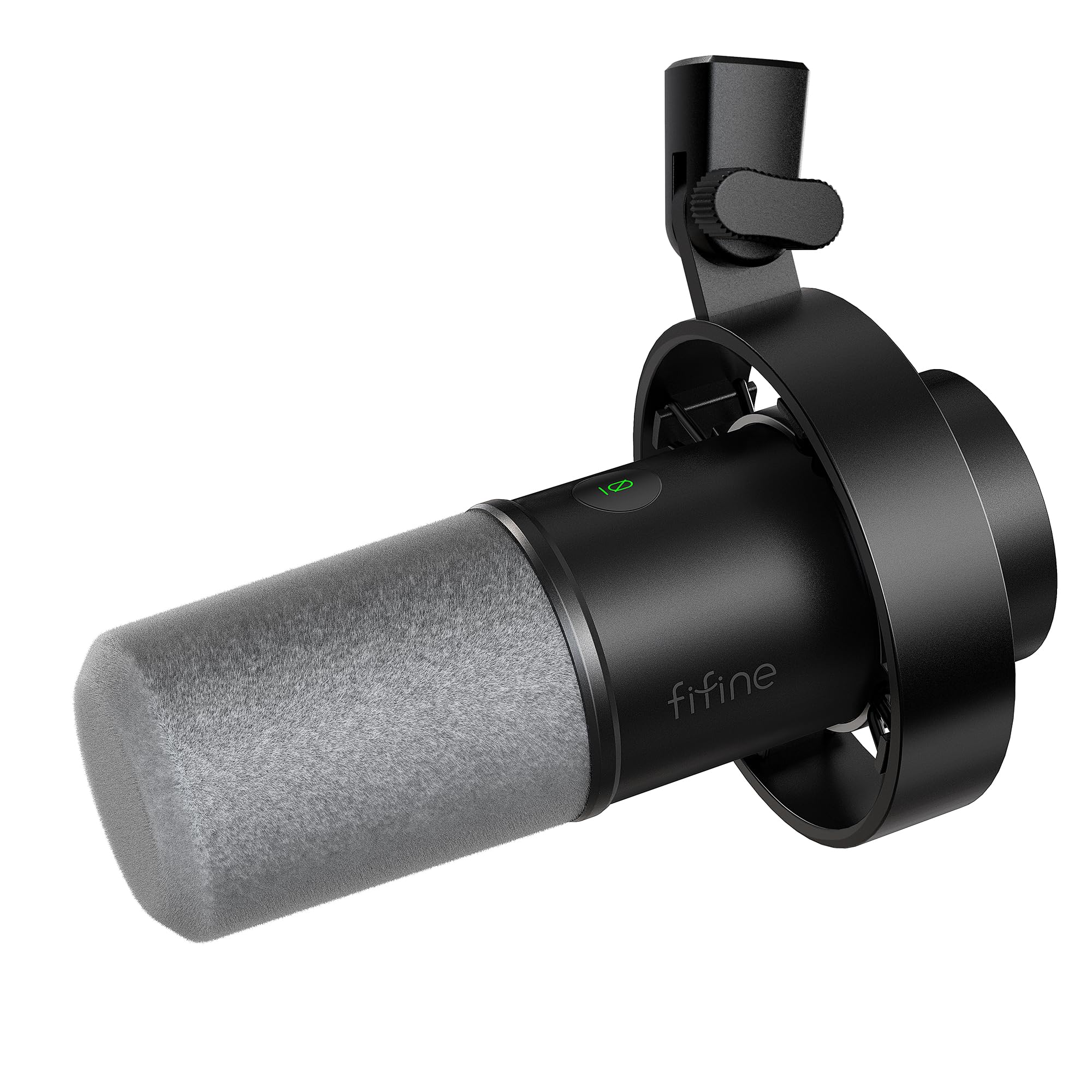
- Supports both USB and XLR connections.
- Includes tap-to-mute and a gain knob for USB use.
- Includes a shock mount, windscreen, and USB cable.
Best For: Voiceover and podcast users who want dynamic USB/XLR connectivity with onboard monitoring controls.
FIFINE K683A

- Works with USB-A or USB-C computers without an extra driver.
- Includes a gain knob, mute button, and headphone jack.
- Comes with a foldable tripod and detachable pop filter.
Best For: People who prefer a desktop tripod mic with gain, mute, and headphone monitoring controls.
SteelSeries Alias USB Mic
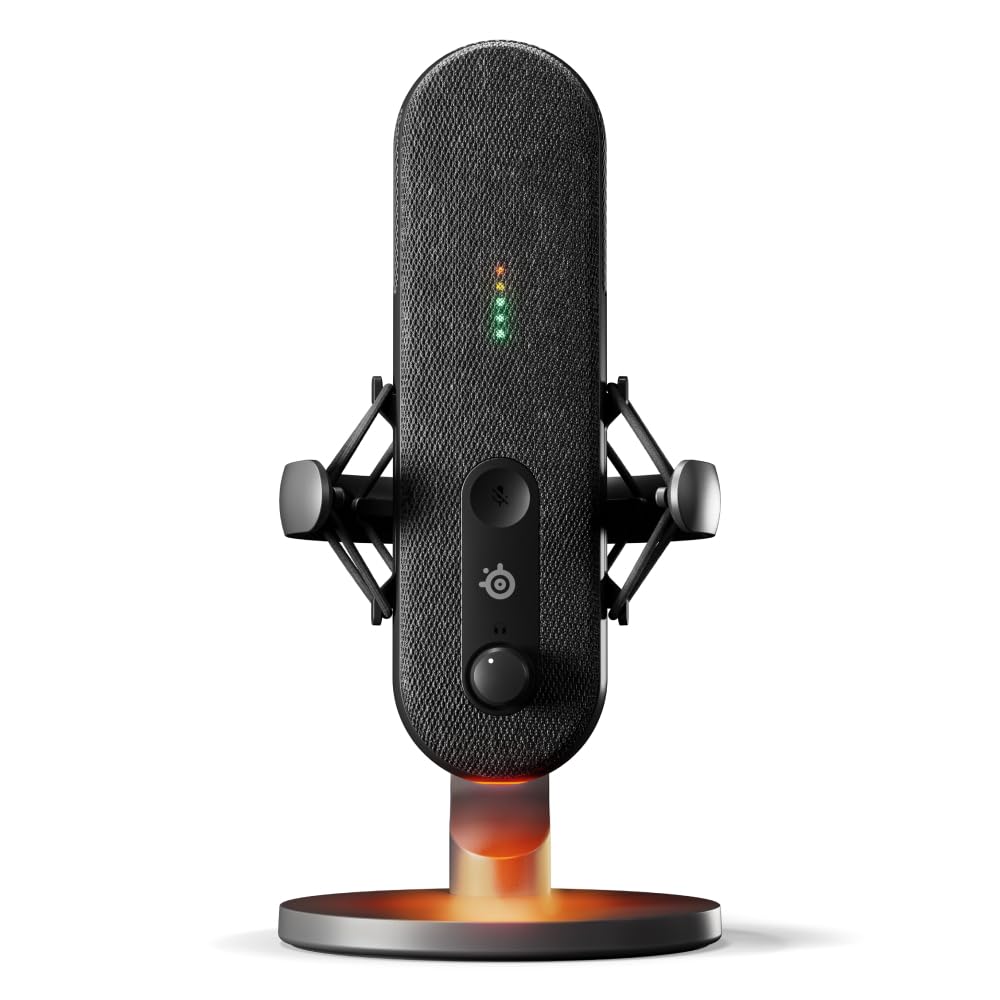
- Sonar offers mixing, app routing, and AI noise cancellation.
- LEDs show audio level and mute status on the microphone.
- Includes an integrated shock mount and desktop stand.
Best For: Streamers who want visible mic status, software routing, and a dedicated shock mount.
Multi-Pattern Desktop Recording
JLab Talk USB Microphone, USB-C Output, Cardioid, Omnidirectional, Stereo or Bidirectional, 96k Sample Rate, 20Hz, 20kHz Frequency Response, Volume, Gain Control, Quick Mute, Plug & Play
The JLab Talk is a desktop USB microphone with four pickup patterns: cardioid, omnidirectional, stereo, and bidirectional. Gain and volume controls provide hands-on adjustment, while the 3.5 mm input supports real-time listening.
The included USB/USB-C cable is 6.5 feet long, and the mic supports swivel mounting with a standard 5/8-inch input. Choose it when pattern flexibility matters more than having a boom arm included.
Best For: People recording solo and group audio who want to switch pickup patterns at the mic.
| Pros | Cons |
|---|---|
|
|
Choose the Talk if you expect to record more than a single voice from directly in front of the mic. Its four pickup modes provide more setup options than a fixed cardioid desktop model, and gain, volume, and monitoring are accessible at the microphone.
Check what stand or mount you will use: the record mentions a 5/8-inch swivel-mount input but does not identify an included stand. Its 6.5-foot cable may also affect where it can sit relative to your computer.
Simple USB Setup for Everyday Voice
FIFINE USB Microphone, Metal Condenser Recording Microphone for MAC OS, Windows, Cardioid Laptop Mic for Recording Vocals, Voice Overs, Streaming, Meeting and YouTube Videos-K669B
The FIFINE K669B keeps a computer recording setup simple: connect its USB cable directly to a desktop or laptop, place the included tripod on the desk, and adjust the built-in volume knob. Its cardioid condenser capsule focuses on sound from the front, making it suited to solo calls, voiceovers, and streaming.
The metal body and stable tripod keep the arrangement compact, while the USB-powered design avoids a separate phantom-power supply. It is not compatible with Xbox or phones, so check your device before buying.
This is a practical fit when you want a basic mic without a boom arm bundle.
Best For: Beginners who want a straightforward desktop microphone for calls, streaming, or voice recording.
| Pros | Cons |
|---|---|
|
|
Choose the K669B for a compact desktop setup built around a computer, especially if you want a physical volume knob and tripod instead of an arm. The cardioid pattern is intended for front-facing voice, so plan to position yourself toward the mic.
Its USB-powered connection keeps setup simple, but the listed incompatibility with phones and Xbox rules out those devices. Check whether the included 5.9-foot cable reaches comfortably from your computer to your preferred speaking position.
Foldable Mic for Portable Desks
Samson Meteor Mic USB Condenser Podcasting Podcast Recording Desktop Microphone
The Samson Meteor Mic combines a desktop condenser capsule with fold-back legs, making it easy to reposition or pack away between recording sessions. Its cardioid pickup pattern is designed to capture sound in front while minimizing ambient pickup.
A headphone output with level control supports zero-latency monitoring, and the 25 mm diaphragm is intended for voice or instrument recording. It connects over USB, with the supplied notes also describing iPad use through an Apple camera adapter.
Consider it for a tidy, movable desktop setup; the product details do not identify a separate boom arm or USB cable length.
Best For: People who want a portable desktop condenser with built-in legs and headphone monitoring.
| Pros | Cons |
|---|---|
|
|
The Meteor Mic suits someone who values portability and a self-contained desktop footprint. Its folding legs remove the need to set up a separate stand, while the headphone output offers direct monitoring during recording.
The cardioid pattern is aimed at sound in front, so it is a better fit for a primary speaker than a roundtable conversation. Check your cable and adapter needs before buying, especially if you plan to use the described iPad connection.
Broadcast Mic With USB and XLR Paths
SAMSON Q9U XLR/USB Dynamic Broadcast Microphone
The Samson Q9U is a dynamic broadcast microphone with both USB-C and XLR outputs. USB-C sends 24-bit/96kHz digital audio directly to a Mac or Windows computer without driver downloads, while XLR supports a mixer or audio interface.
It also includes zero-latency headphone monitoring and an onboard mute switch that silences both outputs. The cardioid pattern and internal pneumatic shock mount are designed to limit off-axis and mechanical noise, with a dual-layer windscreen to reduce plosives.
It is a flexible option for a home podcast setup, though a separate stand is not identified in the supplied details.
Best For: Podcasters and streamers who want USB now and an XLR connection for a mixer or interface.
| Pros | Cons |
|---|---|
|
|
Pick the Q9U if you want a dynamic broadcast mic that can start on USB-C and connect by XLR when your setup grows. The mute switch affects both outputs, and the headphone monitoring is built in, reducing the need to rely on computer playback for immediate checks.
Its cardioid pickup and windscreen favor a close, front-facing speaking position. Confirm what stand or arm you need for your desk, because one is not identified in the supplied product details.
Software Controls for Podcast Audio
MAONO Dynamic Microphone, USB/XLR Podcast PC Microphone with Software, EQ,Tap-to-Mute, Headphone Jack, Gain Knob & Volume Control, Studio Mic for Broadcast, Recording, Streaming & Gaming (PD400X)
The MAONO PD400X is a dynamic USB/XLR microphone with software controls aimed at podcast and streaming workflows. In USB mode, MAONO Link offers standard and advanced modes, including adjustments for EQ, limiter, compressor, gain, and monitor mix.
A multifunction knob handles mic gain and headphone volume, while a touch mute key has an LED indicator. USB provides plug-and-play computer use; XLR connects to a professional interface, mixer, or portable PA system.
Choose it if software shaping and a combined control surface are useful. Check separately for a stand, since an included mounting setup is not specified here.
Best For: Podcasters who want software-based tone and monitoring adjustments alongside USB/XLR connectivity.
| Pros | Cons |
|---|---|
|
|
The PD400X is a strong fit for a podcaster who wants more direct control over tone and monitoring than a basic USB mic provides. Its software adjustments are available in USB mode, while XLR gives it a path into a mixer or interface.
The digital knob and touch mute keep common controls close at hand. Before choosing it, confirm what mounting hardware your workspace needs, and remember that the software adjustment features depend on using the USB connection.
Dynamic Mic for Close Voice Work
FIFINE Dynamic Microphone, XLR/USB Podcast Recording PC Microphone for Vocal Voice-Over Streaming, Studio Metal Mic with Mute, Headphone Jack, Monitoring Volume Control, Windscreen-Amplitank K688
The FIFINE AmpliTank K688 is a dynamic microphone with both USB and XLR outputs, designed for vocal, voiceover, streaming, and podcast recording. Over USB, its front-panel tap-to-mute and gain knob offer quick adjustments, and a 3.5 mm headphone jack with volume control supports real-time monitoring.
The cardioid pattern and included shock mount and windscreen are intended to reduce room noise, desk vibration, and plosive sounds. The USB cable is 8.2 feet long.
The product details say a boom arm, mic stand, and XLR cable are not included, so budget for mounting hardware and a separate XLR lead if needed.
Best For: Voiceover and podcast users who want dynamic USB/XLR connectivity with onboard monitoring controls.
| Pros | Cons |
|---|---|
|
|
The K688 fits a close-speaking voiceover or podcast arrangement where monitoring and manual gain adjustment matter. USB gives a direct computer connection with its controls, while XLR supports use with an interface or mixer.
The included shock mount and windscreen help address desk vibration and plosives, but the microphone is intended to be used close to the speaker. Plan for a separate stand or boom arm, and add an XLR cable if you expect to use its analog connection.
Desktop Mic With Monitoring and Pop Filter
FIFINE USB Desktop PC Microphone with Pop Filter for Computer and Mac, Studio Condenser Mic with Gain Knob Mute Button Headphone Jack for Gaming Streaming Recording YouTube, Extra USB-C Plug-K683A
The FIFINE K683A is a USB condenser desktop microphone with a foldable tripod, detachable pop filter, and controls on the mic. Its cardioid pickup is intended to focus on a speaker in front, and a gain knob lets you adjust input level without opening software.
A mute button and 3.5 mm headphone jack add practical control for calls, streaming, and recording. It connects to compatible computers and PS4 using USB-A or USB-C without a separate driver.
The product is not compatible with Xbox. Choose it when you want a self-contained desk setup rather than an arm-mounted mic, and check that the included cable reaches your workstation.
Best For: People who prefer a desktop tripod mic with gain, mute, and headphone monitoring controls.
| Pros | Cons |
|---|---|
|
|
Choose the K683A if you want a desktop tripod arrangement with more controls than a bare USB mic. Its pop filter, gain knob, mute button, and headphone monitoring are useful for calls and solo recording without adding an arm to the desk.
It is a cardioid mic, so position the diaphragm toward your voice. Verify device compatibility before buying: it works with the described computers and PS4, but not Xbox.
USB Mic With Visible Level Monitoring
SteelSeries Alias USB Mic for PC — 3x Bigger Capsule for Gaming, Streaming and Podcasting — Sonar for Streamers Audio Software — AI Noise Cancelling — LED Mute & Level Monitoring — Shock Mount
The SteelSeries Alias is a USB microphone aimed at gaming, streaming, and podcasting. Its cardioid pattern and capsule described as up to three times bigger than other mics are paired with Sonar software for mixing, app routing, and AI noise cancellation.
LED lighting on the mic shows audio levels and mute status, while customizable RGB adds a visual accent. An integrated shock mount reduces unwanted vibration, and the mic works with the included desktop stand or a separately purchased boom arm.
It suits streamers who want software features and at-a-glance controls in one USB setup; check that the desktop stand fits your preferred placement.
Best For: Streamers who want visible mic status, software routing, and a dedicated shock mount.
| Pros | Cons |
|---|---|
|
|
The Alias makes sense for a streamer who wants mic monitoring and software routing visible in the same setup. Its USB connection and included desktop stand support a straightforward desk arrangement, while a boom arm is an optional separate purchase.
The larger capsule figure is expressed as an advertised comparison, so consider the concrete controls and mounting arrangement first. Check whether Sonar's software approach and the stand's placement suit your streaming desk.
How to Choose Usb Microphones
How We Picked USB Microphones
This selection covers USB microphones for solo calls, streams, podcasts, voiceover, and music, with different approaches to desk placement and sound pickup. It includes straightforward USB condensers, multi-pattern desktops, and dynamic models with XLR as an additional connection.
We favored options with practical controls or monitoring where the product details identify them, and noted when stands, cables, or software features affect the setup.
The useful distinction is how each mic expects you to work. A fixed cardioid desktop model suits one speaker facing the mic.
Multi-pattern options such as the JLab Talk can adapt to a shared conversation or stereo capture. Dynamic USB/XLR microphones add a path to a mixer or interface, while software-equipped models add computer-based tone controls.
Comparing USB Microphones for Your Setup
Start with the recording space and how many voices need to be captured. Cardioid models focus on a speaker in front, as with the FIFINE K669B and Samson Q9U.
The JLab Talk switches among cardioid, omnidirectional, stereo, and bidirectional modes, giving it more flexibility for a pair or a wider sound field. That flexibility matters for interviews or room capture, while a fixed pattern can keep a solo setup simpler.
Next, decide between a desktop tripod and a boom arm. The K669B and K683A use desktop tripods; the MAONO PD200XS includes an adjustable boom arm.
A desktop stand takes little setup, but it occupies desk surface. An arm can move the mic closer and clear space, though it needs a suitable clamp location.
For some kits, check the table thickness limit and whether the mount is included.
USB/XLR microphones suit buyers who may later add an interface or mixer. The Samson Q9U and FIFINE K688 offer both connection types, while the MAONO PD200XS pairs them with a boom arm and USB software controls.
Look closely at which controls depend on USB: the PD200XS software features are USB-only, and the K688's mute and gain controls are USB functions. XLR kits may require a separate cable or stand, so include those accessories in the setup plan.
For daily use, a physical mute button, gain control, and headphone monitoring can make level changes easier to manage. The K683A, PD400X, and Q9U include useful combinations of these controls.
Monitoring from a headphone jack lets you hear the mic directly; check whether that connection and its volume control meet your workflow. RGB lighting can coordinate a gaming desk, but it does not replace pickup-pattern, connection, or mounting decisions.
| Product | Standout features | Best for |
|---|---|---|
| JLab Talk USB MicrophoneCheck Price |
| People recording solo and group audio who want to switch pickup patterns at the mic. |
| FIFINE K669B USB MicrophoneCheck Price |
| Beginners who want a straightforward desktop microphone for calls, streaming, or voice recording. |
| Samson Meteor MicCheck Price |
| People who want a portable desktop condenser with built-in legs and headphone monitoring. |
| Samson Q9UCheck Price |
| Podcasters and streamers who want USB now and an XLR connection for a mixer or interface. |
| MAONO PD400XCheck Price |
| Podcasters who want software-based tone and monitoring adjustments alongside USB/XLR connectivity. |
| FIFINE AmpliTank K688Check Price |
| Voiceover and podcast users who want dynamic USB/XLR connectivity with onboard monitoring controls. |
| FIFINE K683ACheck Price |
| People who prefer a desktop tripod mic with gain, mute, and headphone monitoring controls. |
| SteelSeries Alias USB MicCheck Price |
| Streamers who want visible mic status, software routing, and a dedicated shock mount. |
USB Mic Setup and Compatibility Checks
Before choosing a computer microphone, verify the connector and supported devices. USB-A and USB-C cables may be included, but phone and console support varies.
The K669B explicitly excludes Xbox and phones, while the K683A excludes Xbox. Check the exact computer, console, or adapter you plan to use rather than assuming every USB mic works across platforms.
Think about speaking distance and placement as well. Some gaming models specify a close recording position, and cardioid capsules need to face the speaker.
A pop filter or windscreen can help with plosive sounds; a shock mount can reduce vibration traveling from a desk. Check what comes in the selected package, because some microphones include these pieces and others require separate purchases.
Software matters if you want to shape a voice without external equipment. MAONO Link offers EQ and dynamics controls on the PD400X and PD200XS in USB mode, while SteelSeries Sonar adds audio routing and noise cancellation to the Alias.
Confirm which operating system supports the feature and whether you are comfortable installing and configuring software. A plug-and-play USB connection can still offer software extras, but they are a separate part of the setup.
Which USB Microphone Fits Your Recording Style?
For calls, streaming, and uncomplicated solo recording, choose a cardioid desktop mic with a stand and physical controls, such as the FIFINE K669B or K683A. If you expect interviews or want several pickup patterns on one desktop mic, consider the JLab Talk.
The Samson Meteor is a portable choice with fold-back legs and direct headphone monitoring.
For a podcast or voiceover setup that may grow, look at the dual USB/XLR dynamics. The Samson Q9U has onboard mute and monitoring, the FIFINE K688 includes a shock mount but requires separate mounting hardware, and MAONO's PD200XS bundles a boom arm and software controls for USB operation.
Streamers who want visible status and audio routing can consider the SteelSeries Alias, provided its desktop stand or separately sourced arm fits their workspace.